
Video submission isn't what it used to be. You're not just uploading files to a server and hoping someone stumbles across them. In 2026, getting your videos seen means understanding how search engines crawl video content, how social platforms prioritize authentic clips over polished corporate content, and how to structure your submission workflow so you're not wasting time on formats that won't get indexed. If you're working with user-generated content from events, you need a system that handles hundreds of clips without losing your mind.
Why Video Submission Actually Matters
Most people think video submission is just hitting "upload" on YouTube. They're wrong.
The real work happens before and after that button click. Search engines need specific signals to understand what your video shows, who should see it, and whether it's worth ranking. Without proper metadata, structured data, and hosting configuration, your videos might as well not exist.
Here's what actually affects whether your video gets discovered:
- Schema markup that tells Google this is a video, not just an embed
- Publicly accessible URLs that crawlers can actually reach
- Transcripts and captions that provide searchable text content
- Thumbnails that load fast and represent the content accurately
- Mobile-optimized players that don't break on phones
The official Google documentation on video SEO spells this out clearly. If crawlers can't access your video, you're invisible. Simple as that.
The Real Challenge with Event Videos
Events generate dozens or hundreds of clips. You've got attendees filming moments on their phones, each video showing a different angle, a different vibe, a different story. That's gold for organic reach, but it's a nightmare for traditional video submission workflows.
You can't manually add metadata to 200 clips. You can't hand-write descriptions for every 15-second snippet someone filmed at your festival. You need automation that doesn't strip away the authenticity that makes user-generated content valuable in the first place.

Setting Up Video Submission That Scales
If you're dealing with user-generated content, your submission process needs to handle volume without breaking. Here's what works.
Start with Proper Collection
Before you submit anything, you need videos collected in a way that preserves quality and captures basic context. When event attendees film content through a dedicated platform, you can attach location data, event tags, and consent permissions automatically. That's metadata you don't have to add manually later.
Collection best practices for events:
- Use a platform that captures context during filming, not after
- Get consent permissions upfront so you're not chasing people down later
- Tag videos by event, location, and moment type as they're uploaded
- Store originals in formats that work across platforms without conversion delays
The encoding matters too. Choosing between H264 and H265 affects file sizes, compatibility, and how fast your videos actually submit to different platforms.
Optimize Before You Submit
Raw phone footage doesn't perform well. Not because it's not authentic, but because it's not optimized for discovery.
According to Search Engine Journal's video optimization guide, there are ten critical steps between filming and submission. Most people skip nine of them.
| Optimization Step | Why It Matters | Time Investment |
|---|---|---|
| Add transcripts | Makes content searchable | 5 min per video |
| Create thumbnails | Drives click-through rates | 2 min per video |
| Write descriptions | Provides context for crawlers | 3 min per video |
| Add schema markup | Enables rich results | One-time setup |
| Tag relevant keywords | Improves discovery | 2 min per video |
That's 12 minutes per video if you're doing it manually. Got 200 event clips? That's 40 hours of work. You need automation or you need to be selective about which videos actually get the full treatment.
Choose Your Submission Platforms Wisely
Not every video needs to go everywhere. Different platforms serve different purposes, and submitting to the wrong ones wastes time.
Platform priorities for event content:
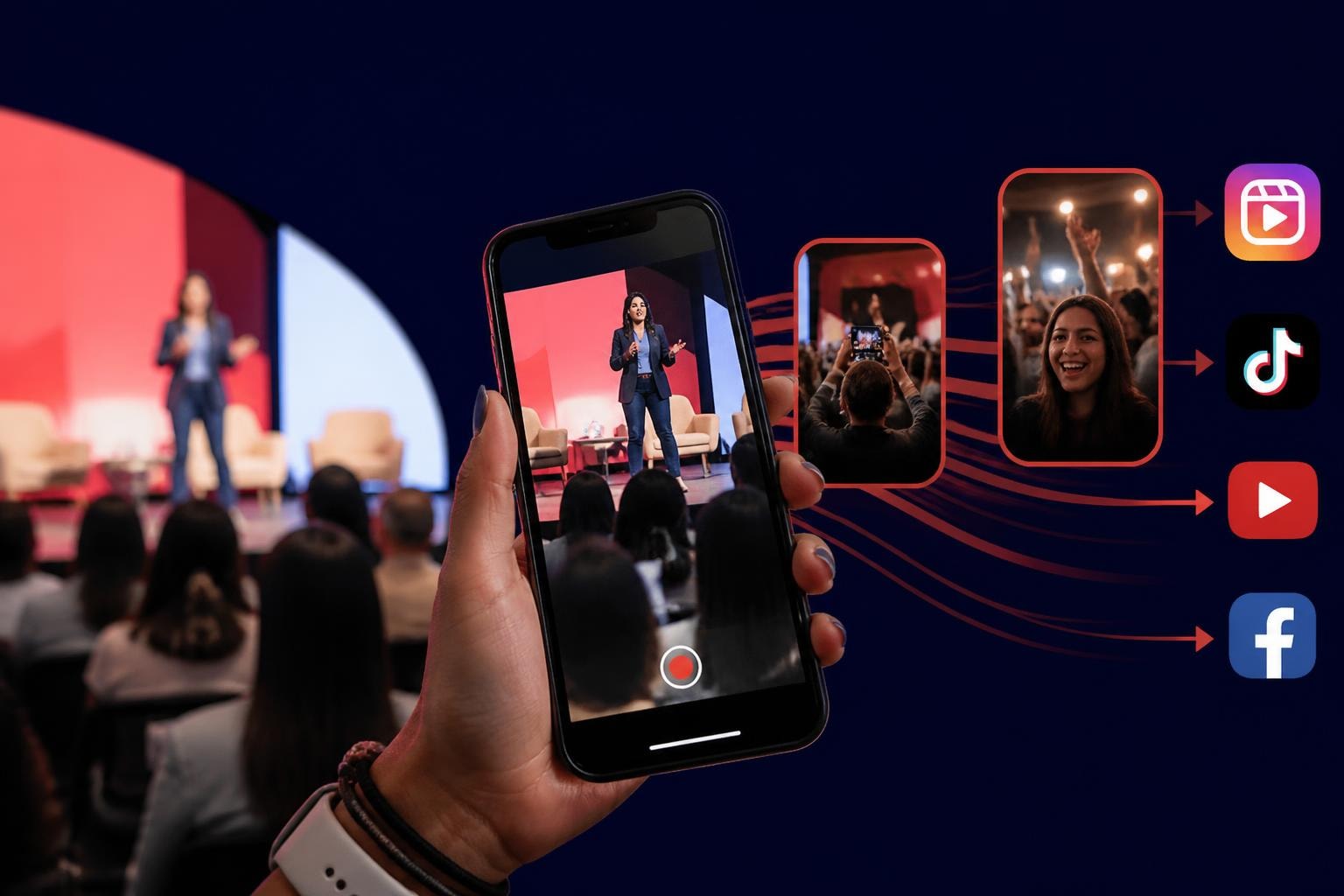
- Social platforms (Instagram, TikTok, Facebook): Prioritize authentic, short-form clips that show real moments
- YouTube: Best for longer compilations or highlight reels that tell a complete story
- Your own website: Critical for SEO and keeping traffic under your control
- Video directories: Usually not worth it for event content unless they're niche-specific
If you're working with festival footage or brand activations, creating content that works as Facebook Reels often delivers better organic reach than submitting full-length videos to YouTube.
Technical Requirements That Actually Matter
Let's talk about what makes video submission work from a technical standpoint. This isn't about perfection. It's about meeting minimum requirements so platforms don't reject your content or bury it.
File Formats and Compression
Search engines don't care if your video looks cinematic. They care if it loads fast and plays on mobile. Choosing the best video format for web means balancing quality against file size.
MP4 with H.264 encoding works everywhere. H.265 gives you better compression but breaks on older devices. WebM is technically superior but has limited support. Stick with what works unless you've got a specific reason to experiment.
Metadata Standards
Every platform reads metadata differently, but there's overlap. Fill these fields consistently across all your video submissions:
- Title: Front-load keywords, keep it under 60 characters
- Description: First two sentences matter most, include relevant links
- Tags: 5-10 specific tags beat 50 generic ones
- Category: Pick the most specific option available
- Upload date: Reflects when content was created, affects "freshness" signals
The video SEO best practices guide from Search Engine Journal emphasizes making videos publicly accessible and using structured data. If your videos sit behind login walls, crawlers can't index them.

Hosting Considerations
Where you host matters as much as what you upload. Self-hosted videos give you control but require proper configuration. Third-party platforms handle technical details but lock you into their ecosystem.
Hosting trade-offs:
| Hosting Type | Control | SEO Benefit | Complexity |
|---|---|---|---|
| Self-hosted | Complete | High (if configured correctly) | High |
| YouTube | Limited | Medium | Low |
| Vimeo | Medium | Low | Low |
| Platform-specific (SureShot) | Medium | High | Low |
For user-generated content platforms, you want hosting that handles submissions automatically while maintaining proper indexing signals. Building this yourself takes months. Using an existing platform takes minutes.
Making Video Submission Part of Your Workflow
The best video submission strategy is one you'll actually follow. If it takes too long or requires too many steps, you'll skip it when you're busy. Which means you're always busy, which means you never do it.
Automate Everything You Can
Manual video submission doesn't scale. Automating event video curation means setting rules that organize, tag, and prepare content without your involvement.
Automation opportunities:
- Auto-tagging based on upload source (attendees get tagged differently than staff)
- Batch metadata application for videos from the same event
- Scheduled submissions to different platforms at optimal times
- Thumbnail generation from key frames or branded templates
When attendees submit videos through a mobile app designed for events, they're unknowingly providing the context you need for proper submission. Location, time, event name, consent permissions - all captured automatically.
Build a Review Process That Doesn't Bottleneck
Not every submitted video should go live immediately. You need quality control without creating a three-week backlog.
Quick review workflow:
- Automatic filtering removes duplicates, low-quality clips, and content missing required permissions
- Flagging system marks potentially sensitive content for manual review
- Approval queues organized by priority (keynote moments vs. general atmosphere)
- Publishing rules that auto-publish low-risk content while holding back anything questionable
Understanding content curation best practices helps you distinguish between content that needs oversight and content that's safe to automate completely.
Measure What Actually Matters
Video submission success isn't about how many videos you uploaded. It's about what happens after.
Track these metrics:
- Indexing rate: What percentage of submitted videos actually appear in search results?
- Average time to index: How long between submission and discoverability?
- Engagement rate: Views, shares, comments relative to your audience size
- Organic reach: How many people find your videos through search vs. direct links?
- Conversion rate: If you're using videos to drive specific actions, are they working?
Most platforms give you these numbers. You just have to look at them and adjust your submission strategy based on what's working.

Advanced Strategies for Maximum Visibility
Once you've got basic video submission working, there are ways to push even better results. These take more effort but can significantly improve how your content performs.
Structured Data Implementation
Adding VideoObject schema to your website tells search engines exactly what your video contains. According to Lumar's video SEO optimization guide, structured data is one of the most overlooked opportunities for improving video visibility.
The markup includes fields like:
- Video duration
- Upload date
- Description
- Thumbnail URL
- Embed URL
- Content rating
Search engines use this to generate rich results - those video carousels that show up for certain queries. Getting into those means more clicks without spending money on ads.
Cross-Platform Repurposing
One piece of content should work in multiple places. Converting horizontal video to vertical lets you submit the same event footage to platforms optimized for different formats.
Repurposing strategies:
- Extract 15-second highlights from longer videos for social platforms
- Compile multiple user submissions into a single highlight reel
- Create different edits emphasizing different aspects (sponsor visibility vs. attendee experience vs. entertainment value)
- Add captions for silent autoplay on social feeds
The best content curation software handles this automatically, creating multiple versions from a single source file without manual editing.
SEO Integration Beyond Video Platforms
Video submission shouldn't stop at YouTube and Instagram. TechCrunch's guide to video SEO strategy emphasizes embedding videos on your own website with proper context.
When you embed event videos on blog posts, event recap pages, or landing pages, you're creating additional discovery pathways. Someone searching for "Copenhagen music festival 2026" might find your blog post, which leads them to your embedded videos, which leads them to your event registration page.
That's how video content creation becomes a growth engine instead of just a documentation tool.
Real-World Application for Events
Theory is great. Here's how this actually works when you're running an event and need content submitted, optimized, and distributed quickly.
Pre-Event Setup
Before your event starts, configure your submission system. Create event-specific tags, set up automated workflows, and ensure your content curation strategy can handle the volume you expect.
For photographers capturing professional moments, understanding newborn photography workflows offers insights into how visual professionals manage high-volume content submission with quality control. The principles translate well to event video management.
During Event Collection
Attendees submit content in real-time through your platform. Each video gets tagged with event metadata automatically. Your system filters obvious low-quality submissions and flags everything else for quick review.
You're not manually handling each video. You're monitoring a dashboard that shows submission volume, quality distribution, and any content that needs immediate attention.
Post-Event Processing
After the event, you've got a library of authentic moments. Your submission workflow processes them:
- Automated quality filtering removes shaky footage and duplicates
- Batch metadata application adds event-specific keywords and descriptions
- Platform-specific optimization creates versions formatted for different channels
- Scheduled distribution submits content when each platform's algorithm favors new posts
- Performance tracking monitors which videos drive engagement and which fall flat
This happens mostly without you. That's the point. You set up the system once, then it handles hundreds of videos every time you run an event.
Ongoing Optimization
Video submission isn't a one-time task. The VDOCipher guide to video SEO in 2026 emphasizes continuous optimization based on performance data.
When certain types of videos consistently perform better, you adjust your collection prompts to get more of that content. When specific keywords drive traffic, you incorporate them into future metadata templates. When one platform outperforms others, you allocate more effort there.
The Authenticity Advantage
Here's what most video submission guides miss: authentic content performs better than polished corporate videos. Always has, probably always will.
User-generated videos from real attendees carry trust that professional footage can't replicate. When someone's watching a clip filmed by another attendee, they're seeing genuine reactions, real moments, unfiltered experience.
That authenticity translates to better engagement metrics, which signals to platform algorithms that your content deserves wider distribution. The video submission process needs to preserve that authenticity while adding the technical optimization that makes content discoverable.
You can't fake this. You can't script it. You need real people filming real moments, then a system smart enough to handle those submissions without sanitizing what makes them valuable.
User-Generated Content as a Submission Strategy
Crowd-sourced video creates volume that single-camera approaches can't match. When you've got 500 attendees filming, you're capturing perspectives a professional crew would miss.
The submission challenge is handling that volume. Traditional workflows break at scale. You need systems designed specifically for user-generated content from the start.
Benefits of UGC-focused submission:
- Authentic perspective that resonates with viewers
- Multiple angles of the same moments for variety
- Natural sharing when contributors post their own content
- Reduced production costs compared to hiring professional crews
- Built-in consent when submission includes permission grants
This approach requires proper consent management so you're not publishing content you don't have rights to use. But once that's in place, you've got an engine for generating discoverable video content at scale.
Video submission in 2026 isn't complicated, but it requires thinking beyond "upload and hope." You need proper metadata, structured data, optimized formats, and a workflow that handles volume without manual intervention. For events generating user-created content, that means choosing platforms designed for exactly this challenge. SureShot ApS handles video submission from collection through distribution, preserving the authenticity that makes event content engaging while adding the technical optimization that makes it discoverable. Stop fighting with manual workflows and start letting your attendees' authentic moments drive organic reach.