




Crowd Sourced Video: How To Plan, Collect, And Edit UGC
Your event attendees are already recording videos on their phones. Every crowd shot, backstage glimpse, and candid reaction, crowd sourced video content that currently disappears into personal camera rolls or gets posted without your knowledge. What if you could tap into that goldmine of authentic footage and use it to promote your next event?
Planning a crowdsourced video project involves more than just asking people to submit clips. You need a clear strategy for collection, a system for managing submissions, and a workflow for turning raw footage into polished content. Without these pieces in place, you'll end up with unusable files scattered across email threads and cloud folders.
This guide walks you through the entire process, from setting campaign goals to editing your final video. You'll learn practical collection methods, see real examples of successful campaigns, and get recommendations for tools that actually work. At SureShot, we built our platform specifically to solve the chaos of collecting event video from attendees, so we've seen firsthand what makes these projects succeed or fail.
What a crowd sourced video is and when to use it
A crowd sourced video is content created by combining footage from multiple contributors rather than relying on a single camera crew or production team. Your attendees capture the event from their unique perspectives, and you collect their clips to create a comprehensive video that tells the story from within the crowd. This approach gives you access to angles and moments that professional videographers would miss, plus the authentic energy that only comes from people genuinely experiencing your event.
When crowdsourcing works best
You should use crowdsourced video when your event creates natural photo opportunities that attendees want to document. Music festivals, sporting events, and conferences work particularly well because people already record these experiences. The content you receive will feel more genuine than staged promotional footage because it captures real reactions and unfiltered moments.
Crowdsourced video thrives at events where attendees are already pulling out their phones to record.
Consider this method when you need to stretch your content budget while increasing volume. A single professional videographer can only be in one place at a time, but 500 attendees with smartphones give you 500 potential camera operators. You'll also get better social media performance because people love sharing content they contributed to, which expands your organic reach without additional ad spend.
Skip crowdsourcing if your event requires highly controlled messaging or technical precision. Corporate announcements, product demos with specific talking points, or videos that need professional lighting and sound don't benefit from the crowdsourced approach. You also won't get good results from small, intimate gatherings where attendees aren't naturally documenting the experience. The method works because of scale and spontaneity.
Step 1. Define the story, format, and success metrics
You need to decide what story you're telling before you ask anyone to submit footage. Start by defining the narrative angle that will guide your collection and editing process. Are you showcasing the energy of a festival, capturing thought leadership from a conference, or highlighting fan reactions at a sporting event? This decision shapes every instruction you give contributors and determines which clips will make the final cut.
Identify your narrative angle
Your crowd sourced video needs a clear central theme that ties all the footage together. Write a one-sentence description of what you want viewers to feel or understand after watching. For a music festival, your angle might be "capturing the moment headliners took the stage as seen from the crowd." For a product launch, it could be "documenting genuine first reactions from attendees seeing the new release."
A single, focused narrative angle transforms random clips into a cohesive story that resonates with viewers.
Choose the right video format
Pick a format that matches your distribution channel and audience expectations. Short-form vertical videos (30-60 seconds) work for social media stories and TikTok, while horizontal compilation videos (2-3 minutes) perform better on YouTube or your event recap page. Your format choice determines what type of clips you'll request from contributors.
Set measurable goals
Define success with specific numbers you can track after publishing. Establish targets for views, social shares, or engagement rate within the first week. Track how many contributors share the final video to their networks, as this amplifies your organic reach beyond your owned channels.
Step 2. Set up collection and permissions
You need a technical system for receiving videos and legal permission to use them. Most event organizers skip the permission step until after collection, which creates chaos when contributors refuse to sign release forms. Set up both components before you announce your crowd sourced video project, so you can collect clips and usage rights simultaneously in a single workflow.
Create your collection method
Choose a submission platform that works on mobile devices since most attendees will upload directly from their phones. You can use a dedicated event app, a custom web form, or a platform specifically built for event video collection. Make sure your system captures contributor contact information alongside each video file so you can credit them or request additional footage later.
Give attendees a unique access code or PIN that connects their submissions to your specific event. This prevents random uploads and helps you organise footage if you run multiple events. Include clear file size limits and accepted formats in your upload instructions to avoid technical issues that frustrate contributors.
Draft your permission agreement
Write a simple release statement that grants you rights to edit and publish submitted footage. Keep the language straightforward so contributors understand what they're agreeing to without needing a lawyer.
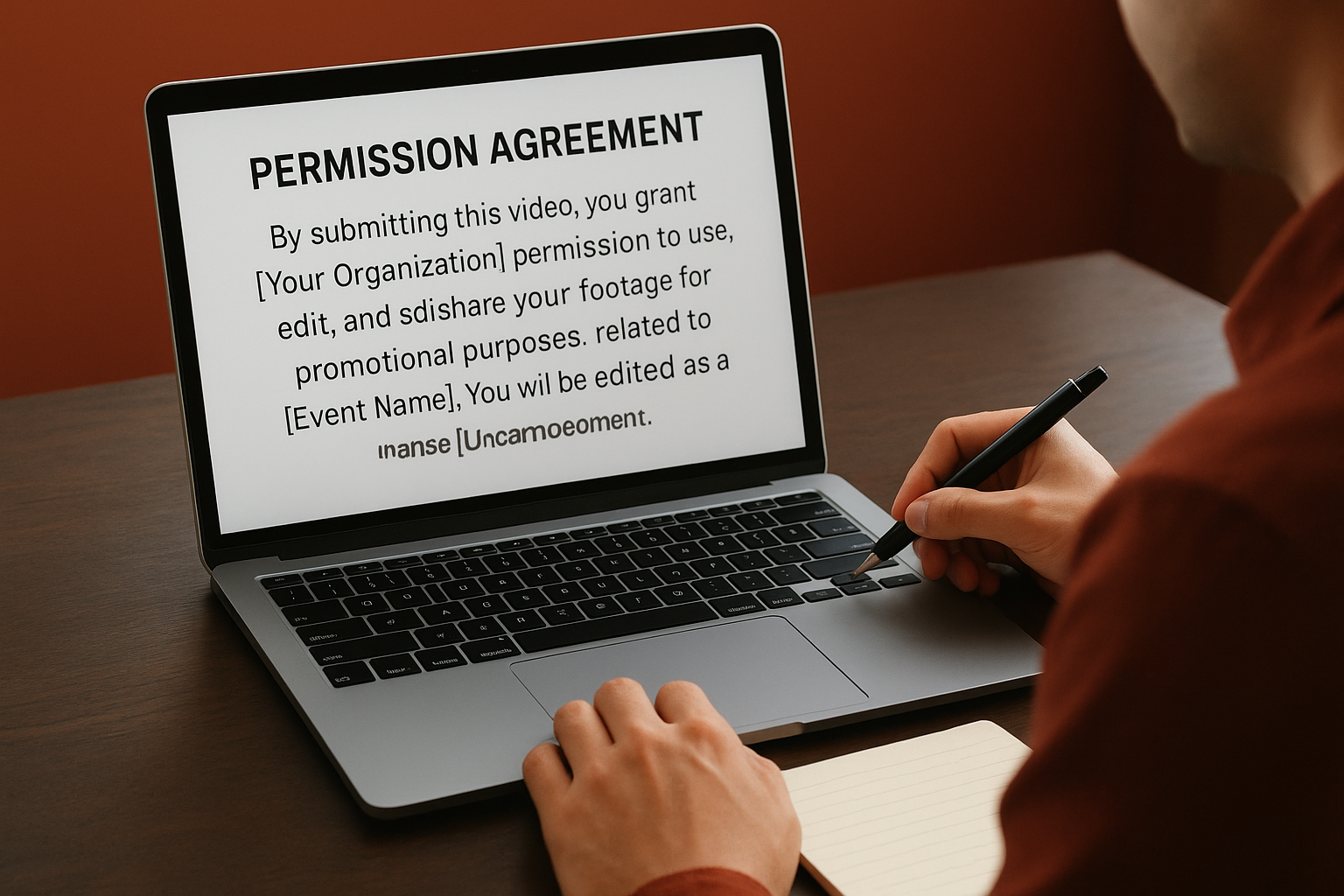
Example permission text:
By submitting this video, you grant [Your Organization]
permission to use, edit, and share your footage for
promotional purposes related to [Event Name]. You will
be credited as [Name/Username] in published content.
Display this agreement on the upload page where contributors must check a box before submitting files.
Collecting permission at the point of upload eliminates follow-up headaches and ensures you can legally use every clip you receive.
Step 3. Get better clips from your attendees
The quality of your crowd sourced video depends on what instructions you give contributors during the event. Most attendees want to help but don't know what makes footage usable. You can improve submission quality by sending specific filming guidance before and during your event, which reduces unusable clips and saves editing time later.
Provide clear filming guidelines
Tell attendees exactly what to capture and how to hold their phones. Request horizontal orientation for most formats, steady hands instead of panning, and videos between 10-30 seconds long. Share these instructions through your event app, signage, or announcements so contributors know expectations before they start recording.
Example filming guidelines:
- Hold your phone horizontally in landscape mode
- Keep videos between 15-30 seconds
- Capture crowd reactions, not just the stage
- Film in well-lit areas when possible
- Avoid zooming or excessive movement
Send timely collection reminders
Push reminder notifications during peak moments when you want footage captured. Send alerts right before headliners perform, during keynote speeches, or when significant announcements happen. These prompts increase submission volume by catching attendees when they're already experiencing memorable moments.
Example reminder message:
The headliner takes the stage in 5 minutes!
Capture your view and submit to Event PIN: 4829
Timely reminders transform passive attendees into active contributors who submit clips while the energy is still fresh.
Step 4. Review, edit, and publish fast
Speed matters when editing crowd sourced video because your content loses relevance as time passes after the event. Set up a workflow that moves clips from submission to published video within 48 hours while you still have audience attention. A quick turnaround also encourages contributors to share your final product since they remember participating.
Filter clips efficiently
Sort through submissions by watching at 2x speed and marking keepers immediately. Create three folders labelled "Must Use," "Maybe," and "Reject" to organise footage as you review. Look for clips with clear audio, stable framing, and authentic energy rather than perfect technical quality. Your crowd sourced video should feel genuine, not polished like professional footage.
Quick filtering checklist:
- Audio quality (crowd noise is fine, wind distortion is not)
- Video stability (slight movement acceptable, shaky unusable)
- Lighting visibility (faces and action clearly visible)
- Contributor enthusiasm (genuine reactions, not posed)
Edit for rhythm and pacing
Arrange your selected clips in 15-30 second sequences that build energy rather than dragging. Cut each clip down to its most impactful 3-5 seconds where something interesting happens. Add background music that matches your event vibe and simple text overlays to identify key moments or credit contributors.
Publishing within 48 hours captures peak audience interest when attendees are still talking about your event.
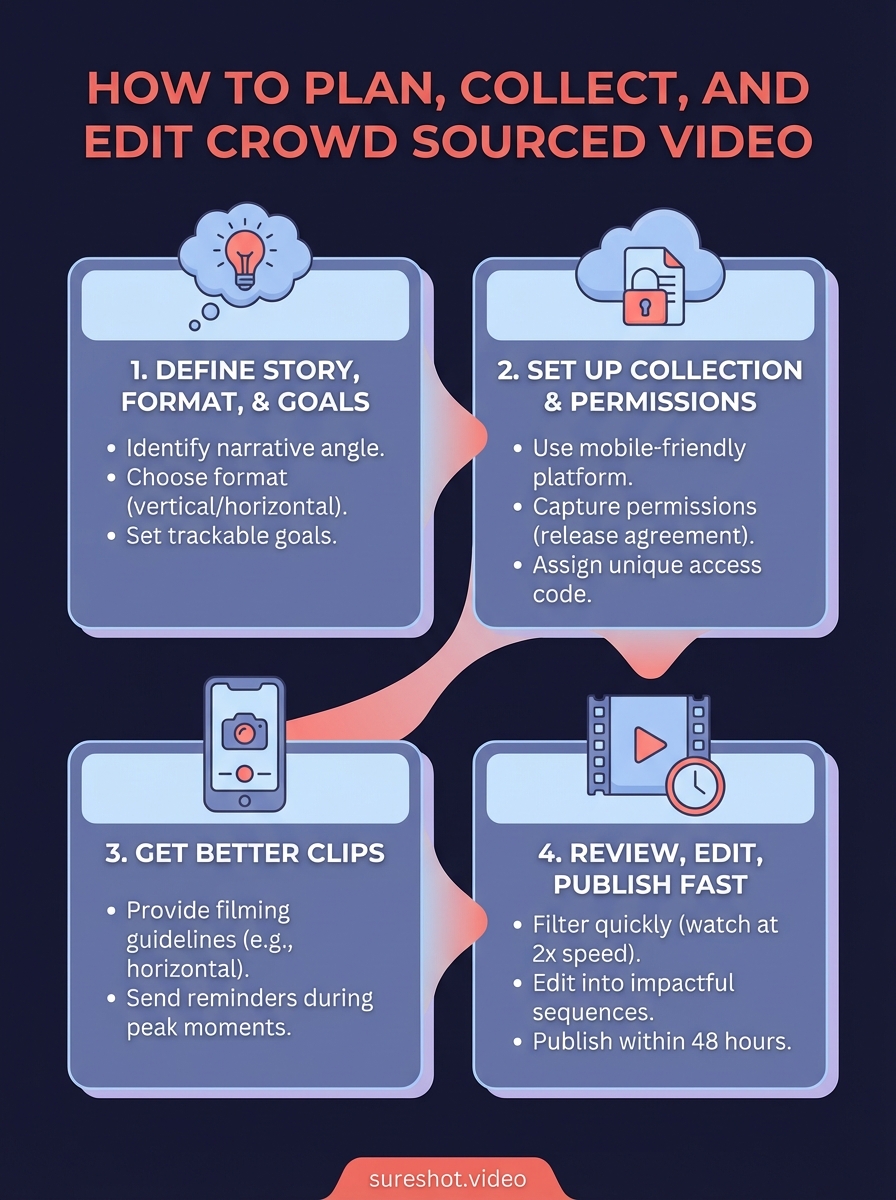
Bring it all together
Collecting crowd sourced video from your event attendees requires planning before your event starts and speed after it ends. Your success depends on three elements: clear instructions that guide contributors, a technical system that handles submissions smoothly, and an editing workflow that publishes content while audiences still care.
Start by defining your story angle and success metrics so you know what footage to request. Set up collection and permissions systems that work on mobile devices since attendees will submit from their phones. Send specific filming guidelines and timely reminders during peak moments to improve clip quality. Review and edit quickly, publishing within 48 hours to capitalize on audience interest.
The difference between random submissions and usable footage comes down to your collection system and workflow. SureShot handles the technical complexity of collecting event videos, reviewing clips with AI assistance, and managing permissions in one platform. Book a demo to see how we streamline the entire process for event organizers.


