




Mastering Video Content Curation: Steps, Tools, Examples
Event organizers and content creators face a constant challenge: finding fresh, engaging video content that resonates with audiences. You know the drill. Professional video production eats up budgets and time, while the best moments from your events often go uncaptured or scattered across attendees' phones. Meanwhile, authentic video clips could transform your marketing, but tracking them down and organising them feels impossible.
Video content curation solves this by turning you into a strategic collector and curator of existing video content. Instead of creating everything from scratch, you discover, evaluate, organise, and share compelling videos that align with your brand and audience needs. This approach saves resources while delivering the authentic, relatable content your audience craves.
This guide walks you through mastering video content curation from start to finish. You'll learn how to set clear goals, build efficient sourcing systems, organise clips like a pro, and measure what works. By the end, you'll have a repeatable process for curating video content that engages your audience and amplifies your reach.
What is video content curation
Video content curation is the process of discovering, selecting, organising, and sharing existing video content that aligns with your brand and serves your audience's interests. Unlike creating original videos from scratch, you act as a strategic filter that identifies the most valuable clips from various sources, adds context or commentary, and presents them in a way that resonates with your specific viewers.
The core components
Effective video content curation involves four main activities: finding relevant videos through systematic searches and monitoring, evaluating their quality and alignment with your goals, organising them into logical collections or themes, and distributing them across your channels with proper attribution. Each component requires careful judgment about what deserves your audience's attention and how best to present it.
Video content curation transforms you from a constant creator into a trusted guide who connects audiences with the most relevant content.
Why it differs from video creation
Video creation demands significant resources for filming, editing, and production, often requiring specialized equipment and skills. Curation, by contrast, leverages existing content to maintain a consistent presence without the same time and budget investment. You still add value through your selection process, contextual commentary, and understanding of what your audience needs, but you avoid starting from zero with every piece of content you share.
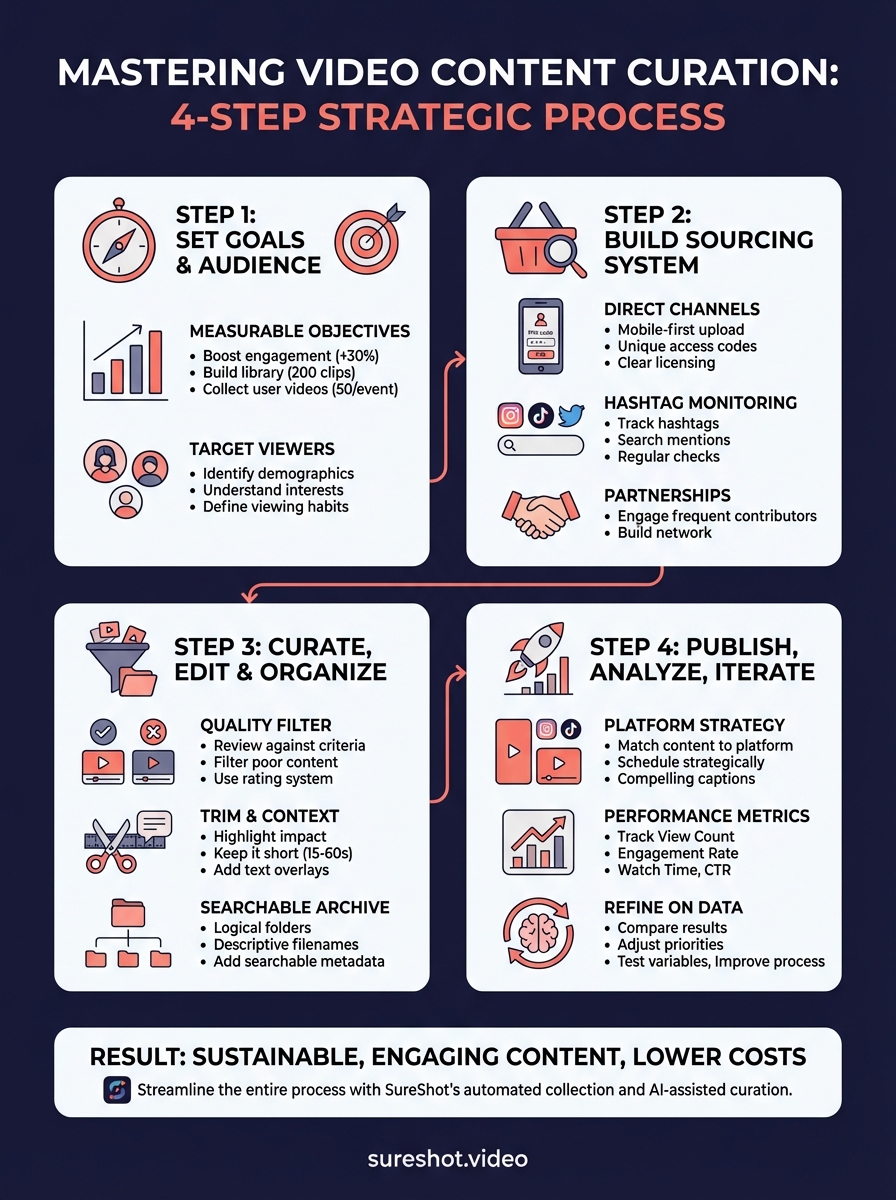
Step 1. Set goals and define your audience
Starting video content curation without clear direction leads to scattered efforts and wasted time. You need to establish specific goals that guide your sourcing decisions and define who you're curating for. This foundation ensures every video you select serves a purpose and resonates with the right people.
Define measurable objectives
Set concrete targets that determine what success looks like for your video content curation efforts. Your goals might include increasing social media engagement by 30% within three months, building an archive of 200 categorized event clips by year-end, or generating 50 user-generated videos per event. Write down two to three primary objectives that align with your broader marketing or community-building strategy.
Clear objectives transform curation from random sharing into a strategic advantage.
Consider these example goals as starting points:
- Engagement: Boost average video views by 40% quarter-over-quarter
- Community building: Collect 100 attendee-submitted clips per event
- Content library: Create 12 themed video collections annually
- Cost reduction: Decrease video production expenses by 60%
Identify your target viewers
Understanding your audience shapes every curation decision you make. Document who watches your content, what they care about, and where they consume videos. Event organizers typically target current attendees, potential future participants, sponsors, and industry professionals. Create a simple audience profile that includes demographics (age range, professional roles), interests (music genres, event types), and viewing habits (preferred platforms, video length preferences).

Ask yourself which video content your audience finds valuable versus what they ignore. The festival attendee who wants behind-the-scenes moments differs from the corporate sponsor seeking brand visibility metrics. Tailoring your curation to specific viewer needs makes your content indispensable rather than forgettable.
Step 2. Build your video sourcing system
Creating a reliable video sourcing system removes the guesswork from video content curation and ensures you consistently discover relevant clips. Your system needs structured processes for collecting videos from multiple channels, whether from attendees at your events, social media platforms, or industry sources. Building these channels early saves countless hours later when you need content quickly.
Create direct collection channels
Set up dedicated pathways for attendees or community members to submit videos directly to you. This approach works best when you give contributors a simple, frictionless process that requires minimal steps. For events, establish a system where attendees upload clips through a mobile app or web form using a unique event PIN or code. The fewer barriers you create, the more content you receive.
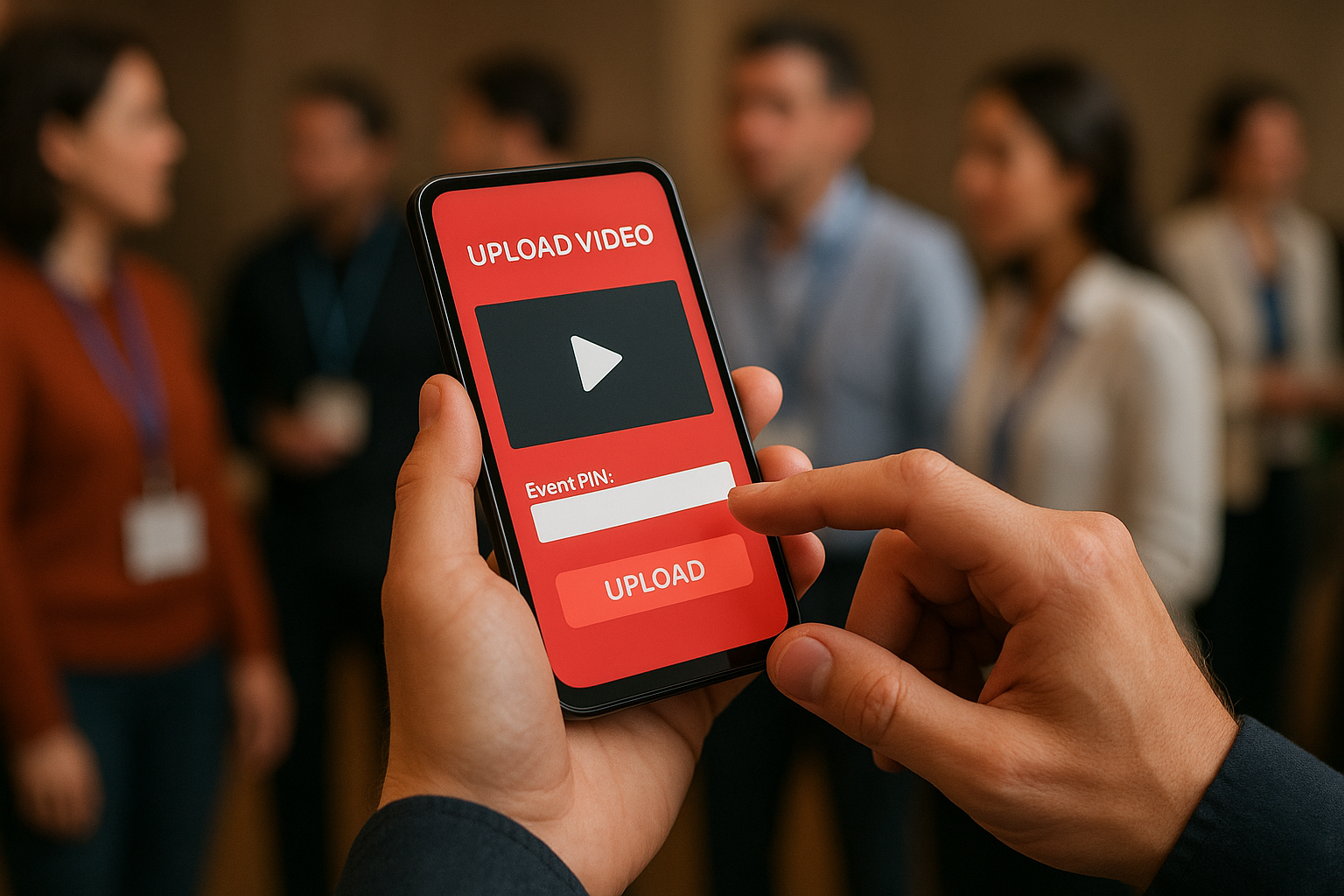
Direct collection channels transform passive attendees into active content contributors.
Consider these essential elements for your collection system:
- Unique access codes: Generate event-specific PINs that organizers share with attendees
- Mobile-first submission: Prioritise smartphone uploads since most event footage comes from phones
- Clear licensing terms: Explain upfront how you'll use submitted videos and get contributor consent
- Instant confirmation: Send acknowledgment messages when contributors successfully upload clips
Monitor platform-specific hashtags and mentions
Track relevant hashtags and brand mentions across platforms where your audience shares videos. Create a monitoring spreadsheet with columns for platform, hashtag, search frequency, and last check date. Search Instagram, TikTok, YouTube, and Twitter for your event name, branded hashtags, or location tags every 24 to 48 hours during active event periods. Save promising clips immediately and document the original creator's profile for proper attribution.
Establish content partnerships
Reach out to frequent contributors or influential attendees who consistently create quality event content. Ask if they'd participate in an ongoing partnership where you feature their videos regularly in exchange for credit and exposure. Build a roster of five to ten reliable creators who understand your content needs and can provide clips on request. This network becomes invaluable when you need specific footage types or perspectives quickly.
Step 3. Curate, edit, and organise clips
Once you collect videos through your sourcing system, you face the critical task of sorting through submissions to identify the strongest clips. Raw footage from attendees needs quality filtering, basic editing, and logical organization before it becomes useful for your marketing or archival needs. This curation phase separates exceptional video content curation from simply hoarding random clips.
Review and quality-filter submissions
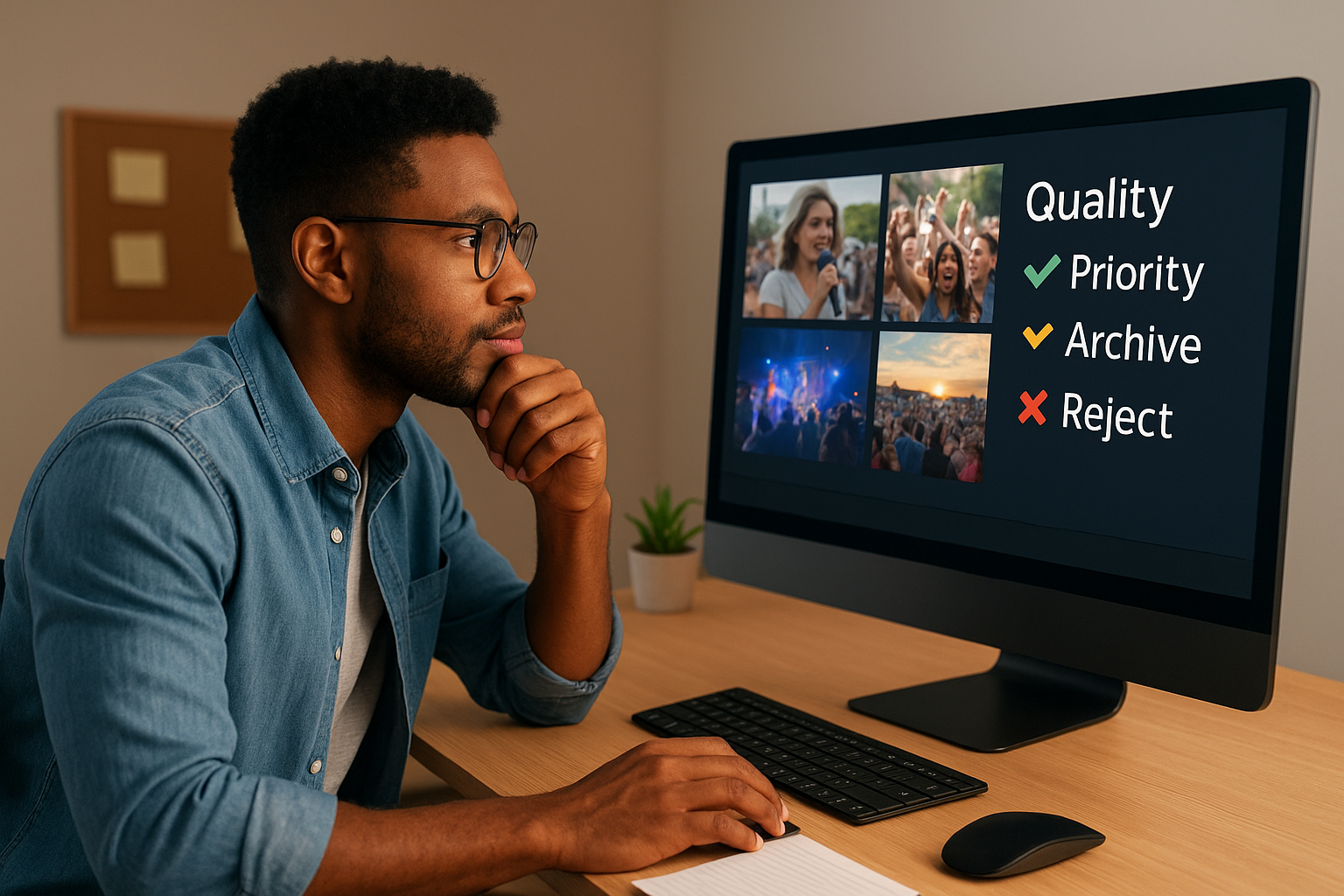
Watch every submitted video with specific criteria in mind that align with your established goals. Check for technical quality factors like adequate lighting, clear audio, and stable camera work. Evaluate content relevance by asking whether each clip captures memorable moments, showcases your brand values, or tells a compelling story about your event. Create a simple rating system using three categories: priority (use immediately), archive (save for future), and reject (delete or ignore).
Filter out videos containing inappropriate content, poor quality that editing cannot fix, or footage unrelated to your event theme. Keep a rejection log that documents why certain clips did not make the cut so you can share feedback with contributors or refine your collection guidelines. This process becomes faster with practice as you develop intuition for what works.
Add context and trim footage
Edit selected clips to remove unnecessary sections and highlight the most impactful moments. Trim the beginning and end where contributors fumbled with their phone or captured irrelevant footage. Keep clips between 15 and 60 seconds for social media platforms, depending on where you plan to publish. Add text overlays that identify the event name, date, or key moment being shown to provide context for viewers discovering the clip later.
Strategic editing transforms raw attendee footage into polished, shareable assets.
Build a searchable archive
Organise approved clips into a structured filing system that lets you locate specific content quickly. Create folders using this hierarchy: Year > Event Name > Category (performances, behind-scenes, attendee-reactions, venue-shots). Name each file descriptively using this format: EventName_Category_Date_BriefDescription.mp4 (example: SummerFest_Performance_2025-07-15_MainStageOpening.mp4). Tag videos with searchable metadata including contributor names, featured performers, location details, and content themes. Use a simple spreadsheet to track file names, locations, usage rights, and publication status for each clip in your archive.
Step 4. Publish, analyse, and iterate
Publishing your curated videos marks the beginning of a learning cycle rather than the end of your video content curation process. You need to share clips strategically across the right platforms, track which content performs best, and use those insights to refine your approach. This feedback loop transforms your curation efforts from one-time activities into an improving system that delivers better results over time.
Choose publishing platforms strategically
Match your curated videos to platforms where your target audience spends time and where video formats align with your content. Post short vertical clips (15 to 60 seconds) on Instagram Stories, TikTok, and YouTube Shorts for maximum reach among younger audiences. Share longer horizontal videos (1 to 3 minutes) on Facebook, LinkedIn, and YouTube for professional or detailed content. Schedule your publishing times based on when your audience is most active, typically between 6 PM and 9 PM on weekdays for consumer-focused content.
Strategic platform selection multiplies the impact of every curated video you share.
Write compelling captions that provide context for each clip, credit the original creator, explain why the moment matters, and include a clear call-to-action. Tag contributors in your posts to increase visibility and encourage future submissions.
Track performance metrics
Monitor specific data points that reveal how audiences respond to your curated content. Focus on these key metrics:
- View count: Total number of times people watched your video
- Engagement rate: Combined likes, comments, shares, and saves divided by reach
- Average watch time: Percentage of video viewers watched before stopping
- Click-through rate: Percentage of viewers who clicked your call-to-action link
Record these numbers in a spreadsheet after 48 hours and again after one week to identify patterns.
Refine based on data
Compare metrics across your published videos to identify what resonates strongest with your audience. If behind-the-scenes clips consistently earn 40% higher engagement than performance footage, adjust your curation priorities to collect more backstage content. Test different caption styles, posting times, and video lengths while changing only one variable at a time. Apply your findings to improve future video content curation decisions and update your collection guidelines to emphasize content types that perform best.
Bringing it all together
Video content curation gives you a sustainable way to maintain engaging content without exhausting your budget or team. You've learned how to set clear goals, build sourcing systems, curate and organise clips effectively, and use performance data to improve your approach. This framework transforms scattered video collection into a strategic process that delivers consistent results for your events and marketing efforts.
Event organizers who implement these steps reduce content production costs while expanding their reach through authentic attendee footage. SureShot streamlines this entire video content curation process by providing a dedicated platform for collecting, managing, and utilizing user-generated event videos. Book a demo to see how automated collection and AI-assisted curation can amplify your events.


