




How To Make A Short Form Video For TikTok, Reels, Shorts
You open your camera roll after an event and see dozens of video clips. Some are great. Others miss the moment. Most sit there unused because turning raw footage into a polished short video feels overwhelming. You know these clips could drive engagement on TikTok, Reels, or Shorts, but figuring out where to start stops you before you begin.
Creating short form videos doesn't require expensive equipment or professional editing skills. You need a clear process that takes you from concept to published video without wasting hours on trial and error. The platforms reward content that hooks viewers in the first second, delivers value quickly, and feels authentic rather than overproduced.
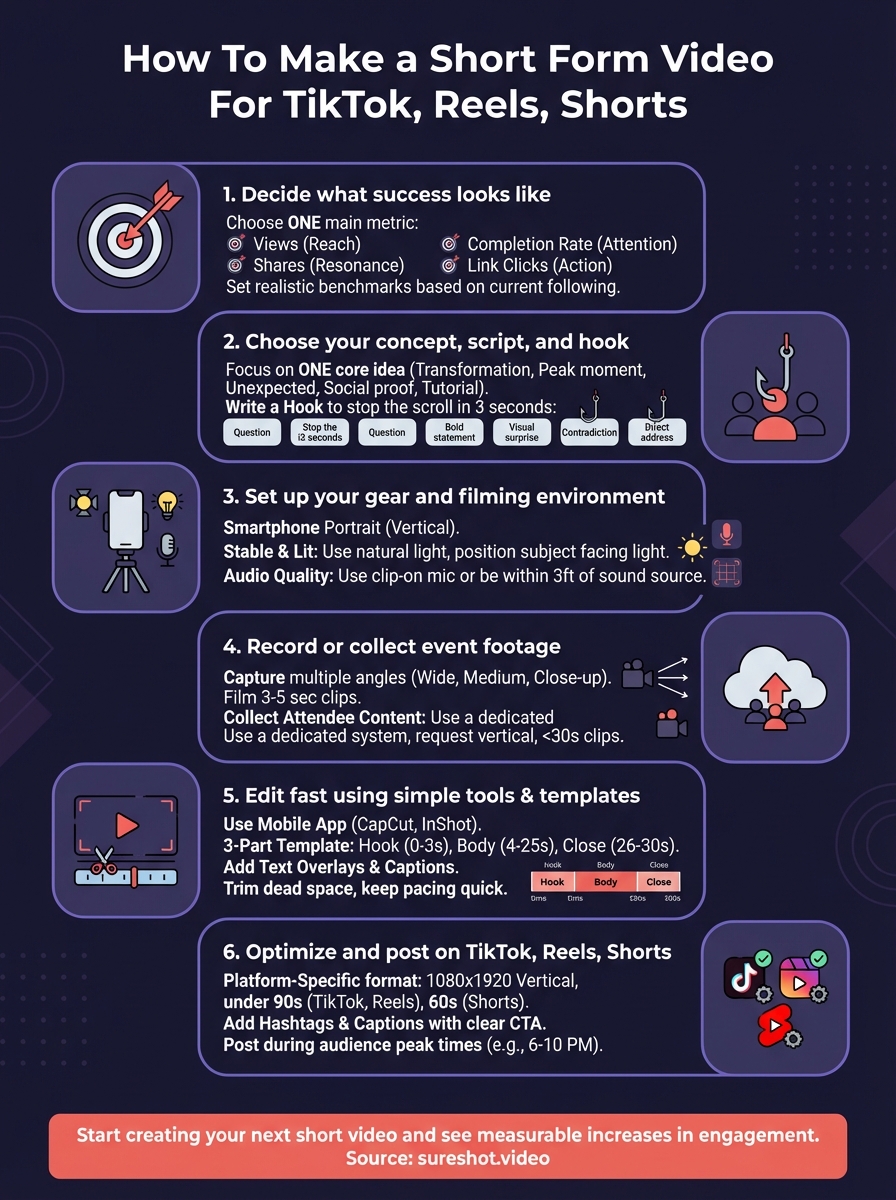
This guide walks you through six practical steps to make short form videos that actually get watched. You'll learn how to define success for your content, craft hooks that stop the scroll, set up your filming environment, capture or collect footage, edit efficiently using simple tools, and optimise your videos for each platform. By the end, you'll have a repeatable system for turning event moments into shareable content that expands your reach.
What short form video is and why it works
Short form video refers to video content under 90 seconds that delivers a complete message, story, or value proposition in a condensed format. These videos appear on platforms like TikTok, Instagram Reels, and YouTube Shorts, where users scroll through endless feeds looking for content that grabs attention immediately. The format strips away everything unnecessary and focuses on one core idea, whether that's a product demonstration, an event highlight, a tutorial, or an entertaining moment.
The format that captures attention
Your viewers make split-second decisions about whether to keep watching. Short form videos work because they hook viewers within the first second and maintain momentum through quick cuts, visual variety, and clear value delivery. A 30-second event recap can generate more engagement than a five-minute highlight reel because it respects your audience's time while delivering concentrated impact. The vertical format fills mobile screens completely, creating an immersive experience that horizontal videos cannot match.
Platform algorithms favour content that keeps viewers watching until the end, making short videos more likely to reach new audiences.
Why platforms prioritise short content
TikTok, Instagram, and YouTube push short form videos to more users because these videos increase session time and keep users scrolling. When someone watches your 45-second video to completion, the platform interprets that as high-quality content worth showing to others. This algorithmic preference means your short videos often reach people who don't follow you yet, expanding your organic reach without paid promotion. Videos under 60 seconds also get shared more frequently because viewers can quickly decide if the content resonates with their own audience. Learning how to make a short form video that aligns with these platform mechanics gives you a measurable advantage in visibility and engagement compared to longer content formats.
Step 1. Decide what success looks like
Before you film a single frame, define what success means for your specific video. Different goals require different approaches to how to make a short form video. A video designed to drive event registrations needs different content, pacing, and calls to action than one meant to showcase attendee experiences. You waste time and resources when you create videos without clear success criteria because you cannot measure whether your effort produced results.
Define your primary metric
Choose one main metric that aligns with your business objective. Views measure reach, but they don't tell you if people engaged with your content or took action. Completion rate shows whether viewers watched your entire video, signaling that your content held their attention. Shares indicate that your video resonated enough for viewers to amplify it to their own networks. Link clicks or profile visits reveal whether viewers want to learn more about your organization or event. Comments and saves suggest deeper engagement than passive watching.
Your metric shapes every decision you make during production. A video optimising for completion rate stays short and delivers value immediately. A video prioritising shares creates emotional moments that viewers want their friends to experience. A video driving link clicks includes a clear, compelling reason to visit your profile or website.
The metric you choose determines how you structure your hook, what you include in the middle, and how you close the video.
Set a realistic benchmark
Research similar content in your niche to establish baseline expectations. Look at videos from events comparable to yours in size, audience, and platform presence. Note their view counts, engagement rates, and audience reactions. A festival with 50,000 attendees producing their first TikTok content should expect different results than an established concert series with consistent video output. Your first few videos serve as learning opportunities that help you understand what resonates with your specific audience. Set an initial target based on your current following size, then adjust as you gather data from actual performance. If you have 500 followers on Instagram, aiming for 10,000 views on your first Reel sets you up for disappointment. Targeting 1,000 views with a 50% completion rate gives you achievable goals that build momentum.
Step 2. Choose your concept, script, and hook
Your concept determines whether viewers watch your video or scroll past it. Start by identifying the single most compelling moment from your event that you want to showcase. This might be an unexpected crowd reaction, a standout performance, a behind-the-scenes moment, or a powerful attendee testimonial. The concept needs to deliver value in the first three seconds, whether that value comes through entertainment, information, inspiration, or emotion. Understanding how to make a short form video starts with ruthlessly narrowing your focus to one core idea rather than trying to cover everything that happened.
Identify your core message
Pick one specific takeaway you want viewers to remember. A video about an event recap could focus on the energy of the crowd, the quality of the performances, the unique venue, or the sense of community. Each angle creates a different video with different footage needs. Testing concepts against your success metric helps you choose effectively. If your goal involves driving ticket sales for the next event, a concept highlighting attendee reactions to the headline act performs better than general venue shots.
Consider these proven concept types for event content:
- Transformation moments: Before/after, reveal, or progression over time
- Peak experiences: The most exciting or emotional moment captured
- Unexpected details: What attendees didn't expect or what happened behind the scenes
- Social proof: Crowds, reactions, testimonials showing others having a great experience
- Tutorial or tip: How attendees maximised their experience or navigated the event
Write a hook that stops the scroll
Your first second makes viewers decide whether to keep watching. Open with movement, surprising visuals, or a provocative statement that creates immediate curiosity. Avoid slow introductions that explain context before delivering value. Jump directly into the most compelling moment, then provide context if needed. Strong hooks use pattern interrupts like sudden cuts, unexpected sounds, text overlays with bold claims, or visually striking compositions.

Structure your hooks using these formats:
Question hook: "Want to know what 10,000 people singing together sounds like?"
Bold statement: "This was the moment everyone talked about for weeks"
Visual surprise: Open on unexpected close-up, then zoom out to reveal scale
Contradiction: "This looks like chaos. It's actually the most organised..."
Direct address: "If you missed this, you need to see what happened"
Build the middle and close
Map out your three to seven key shots that support your concept and lead toward a natural conclusion. Each shot should advance the story or add new information rather than repeating the same idea. Your close should either deliver a payoff viewers anticipated from your hook or provide a clear next step like visiting your profile, sharing the video, or registering for the next event. Script your voiceover or text overlays before filming so you know exactly what footage you need to capture.
The strongest short form videos follow a simple arc: hook with tension or curiosity, deliver on that promise through the middle, and close with resolution or action.
Step 3. Set up your gear and filming environment
You don't need expensive equipment to create effective short form videos. Most modern smartphones shoot high-quality vertical video at 1080p or 4K, which exceeds the technical requirements for TikTok, Reels, and Shorts. Your filming environment matters more than your camera specs because poor lighting or distracting backgrounds ruin even the sharpest footage. Focus on controlling three elements: stabilization, lighting, and audio quality. These factors determine whether your video looks professional or amateur regardless of which device you use.
Choose your camera and stabilization
Use your smartphone in portrait orientation since vertical video fits TikTok, Instagram Reels, and YouTube Shorts natively. Hold your phone with both hands, tuck your elbows against your body, and lean against a stable surface when possible. This basic technique reduces shake significantly without buying equipment. If you film frequently, a $20 phone tripod with adjustable angles eliminates handheld shake completely and frees your hands to direct, adjust lighting, or interact with subjects.
Film at 30 or 60 frames per second depending on your desired look. Standard 30fps works for most event content and interviews. Higher 60fps creates smoother motion for action shots like crowd reactions or performances. Enable your camera's grid overlay to keep horizons level and subjects properly framed using the rule of thirds. Position key visual elements along the grid lines rather than centering everything.
Control your lighting
Natural light works best when available. Position yourself so your subject faces the light source rather than having the light behind them, which creates dark silhouettes. Overcast days produce soft, even lighting without harsh shadows. Direct sunlight creates strong contrasts, so film during golden hour (the first hour after sunrise or last hour before sunset) when possible. Indoor events require more attention to existing lighting. Scout the venue beforehand to identify well-lit areas where you can position subjects or capture footage.
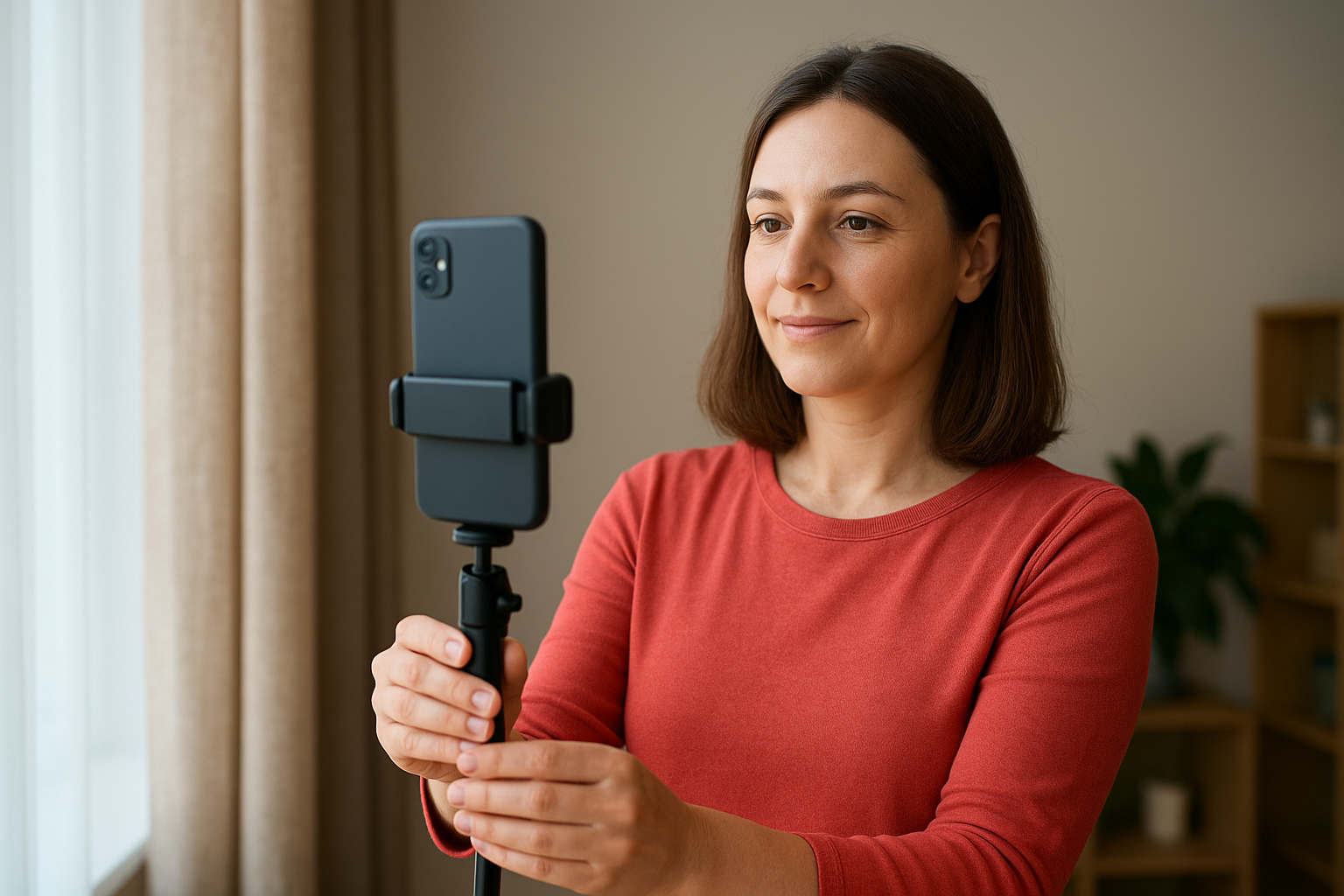
Viewers tolerate imperfect video quality but immediately notice poor lighting that makes subjects difficult to see.
Avoid mixing different light sources in the same shot. Stadium lights, stage lights, and window light each have different colour temperatures that create unnatural tones when combined. If you control the environment, place your subject near the brightest available light source and turn off competing lights that add conflicting colours.
Optimise your audio setup
Audio quality separates professional content from home videos. Your phone's built-in microphone captures sound adequately for ambient crowd noise or music performances where the environment itself provides the audio. For interviews or voiceovers, move closer to your subject since phone microphones work best within three feet of the sound source. Background noise from wind, traffic, or crowd chatter overwhelms dialogue when you film too far away.
A clip-on lavalier microphone ($25-50) that plugs directly into your phone dramatically improves spoken audio quality. Position the mic six inches below the speaker's mouth for clear voice capture. Test your audio before filming important moments by recording a quick sample and playing it back through headphones.
Step 4. Record or collect event footage
Your footage needs variety to keep viewers engaged throughout your video. Capture wide shots that establish scale, medium shots that show interactions, and close-ups that reveal emotions or details. Film more content than you think necessary since editing options depend on having multiple clips to choose from. Understanding how to make a short form video means recognising that five seconds of perfect footage beats three minutes of mediocre content. Move through your venue systematically, documenting different areas, performances, and crowd reactions rather than staying in one spot.
Capture multiple angles and moments
Film each key moment from at least two different positions when possible. Start with an establishing shot showing the full scene, then move closer to capture reactions or details. Record three to five second clips rather than long continuous takes, which gives you cleaner editing points and matches the quick-cut style viewers expect. Hold your phone steady for the entire duration of each clip to avoid shaky transitions between shots.
Focus on these high-value moments:
- Peak energy points when crowds react strongest
- Transitions between event segments or performances
- Attendee faces showing genuine emotion
- Unique venue features or production elements
- Behind-the-scenes preparation or teardown
Leave two seconds of buffer at the start and end of each clip so you have room for transitions during editing. This extra footage prevents awkward cuts where motion starts or stops abruptly.
Collect attendee-generated content
Attendees capture perspectives you miss while managing the event. Announce your video collection system through signage, announcements, or pre-event communications so attendees know how to contribute. Provide a dedicated upload link or app where attendees submit their clips rather than relying on manual collection from social media. This gives you immediate access to content and secures proper usage rights.
Attendee footage often captures the most authentic reactions because people film what genuinely excites them rather than following a shot list.
Request that contributors film in vertical orientation and keep clips under 30 seconds. Review submissions as they arrive to identify standout moments while the event remains fresh in your memory. Thank contributors publicly when you use their content, which encourages future participation and builds community around your events.
Step 5. Edit fast using simple tools and templates
Editing transforms your raw footage into a cohesive story that holds attention. You can complete this process in 15 to 30 minutes per video when you follow a template rather than experimenting with every creative choice. Mobile editing apps provide everything you need to cut clips, add transitions, overlay text, and export vertical videos without learning complex desktop software. The goal involves removing what doesn't serve your concept while maintaining energy through quick pacing and visual variety. Learning how to make a short form video efficiently means establishing a repeatable editing workflow that you refine with each video you produce.
Select your editing platform
Choose one mobile editing app and master its core features before exploring alternatives. CapCut offers free editing with built-in templates, text animations, and music libraries specifically designed for short vertical videos. The app runs on both iOS and Android, syncs projects across devices, and exports directly to TikTok, Instagram, and YouTube without quality loss. InShot provides similar functionality with a simpler interface that prioritizes speed over advanced features. Both apps handle 4K video editing on your phone and include auto-captions that sync text to your audio track.
Open your chosen app and import your five to ten best clips from filming. Watching everything you recorded wastes time. Pre-select only footage that supports your specific concept before you start editing. Drag clips onto your timeline in the order that builds your story from hook to close.
Follow a simple editing template
Apply this three-part structure to organise your content quickly:
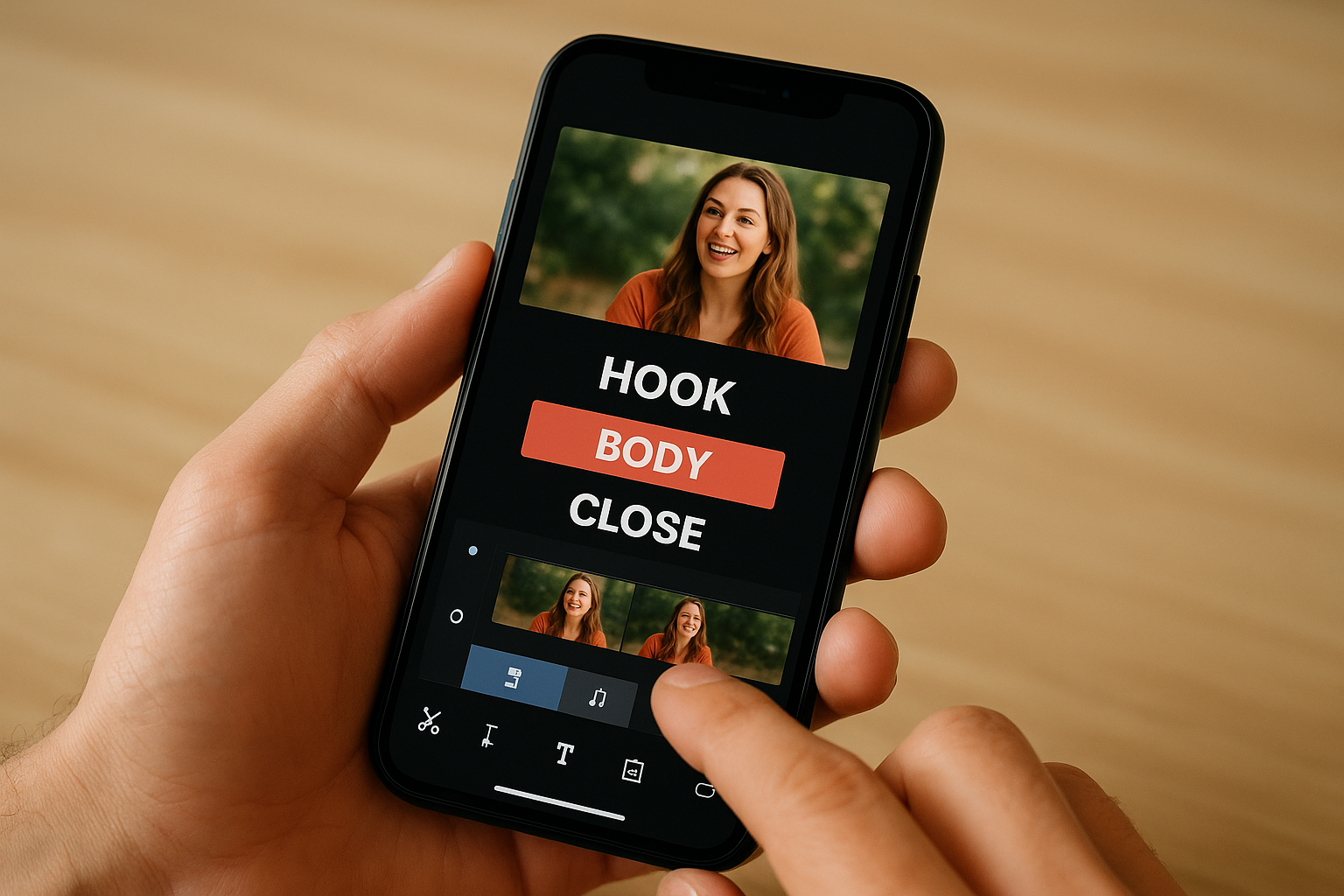
Hook (0-3 seconds): Start with your strongest visual or most provocative moment. Cut directly to peak action without fade-ins or slow builds. Add bold text overlay stating your main promise or question.
Body (4-25 seconds): Place three to five supporting clips that deliver on your hook. Keep each shot between two and five seconds to maintain momentum. Add quick cuts on beat if you include music. Layer explanatory text that appears and disappears as new clips begin.
Close (26-30 seconds): End with payoff, resolution, or call to action. Show final result, crowd reaction, or text directing viewers to take next step. Hold your final frame for two seconds so viewers process your message before the video loops.
This template works because it matches how viewers naturally process information in fast-scrolling feeds where every second must justify continued watching.
Trim dead space from the start and end of each clip. Remove moments where subjects look away from camera, where audio drops, or where nothing changes visually. Your rough cut should feel slightly too fast rather than too slow. Viewers adjust to quick pacing but abandon videos that drag.
Add text overlays and captions
Layer text over your video to reinforce your message for viewers watching without sound. Position text in the centre third of your screen where platform interfaces won't cover it with buttons or usernames. Use contrasting colours with heavy fonts that remain readable on busy backgrounds. White text with black outline or drop shadow shows up clearly regardless of what plays behind it.
Add captions to spoken audio using your app's auto-caption feature, then review for accuracy. Fix errors manually since automated transcription misses technical terms, names, or words spoken over loud music. Break captions into short phrases that appear for one to two seconds each rather than displaying full sentences that fill the screen.
Step 6. Optimise and post on TikTok, Reels, Shorts
Your finished video needs platform-specific optimization before publishing. Each platform rewards different content signals, viewer behaviors, and posting strategies that directly impact how many people see your video. The final export settings, caption structure, and posting schedule separate videos that reach thousands from those that disappear after a few dozen views. Understanding how to make a short form video involves recognising that the same content performs differently across platforms based on their unique algorithms and audience expectations. Apply platform-specific adjustments rather than posting identical content everywhere to maximise your reach on each channel.
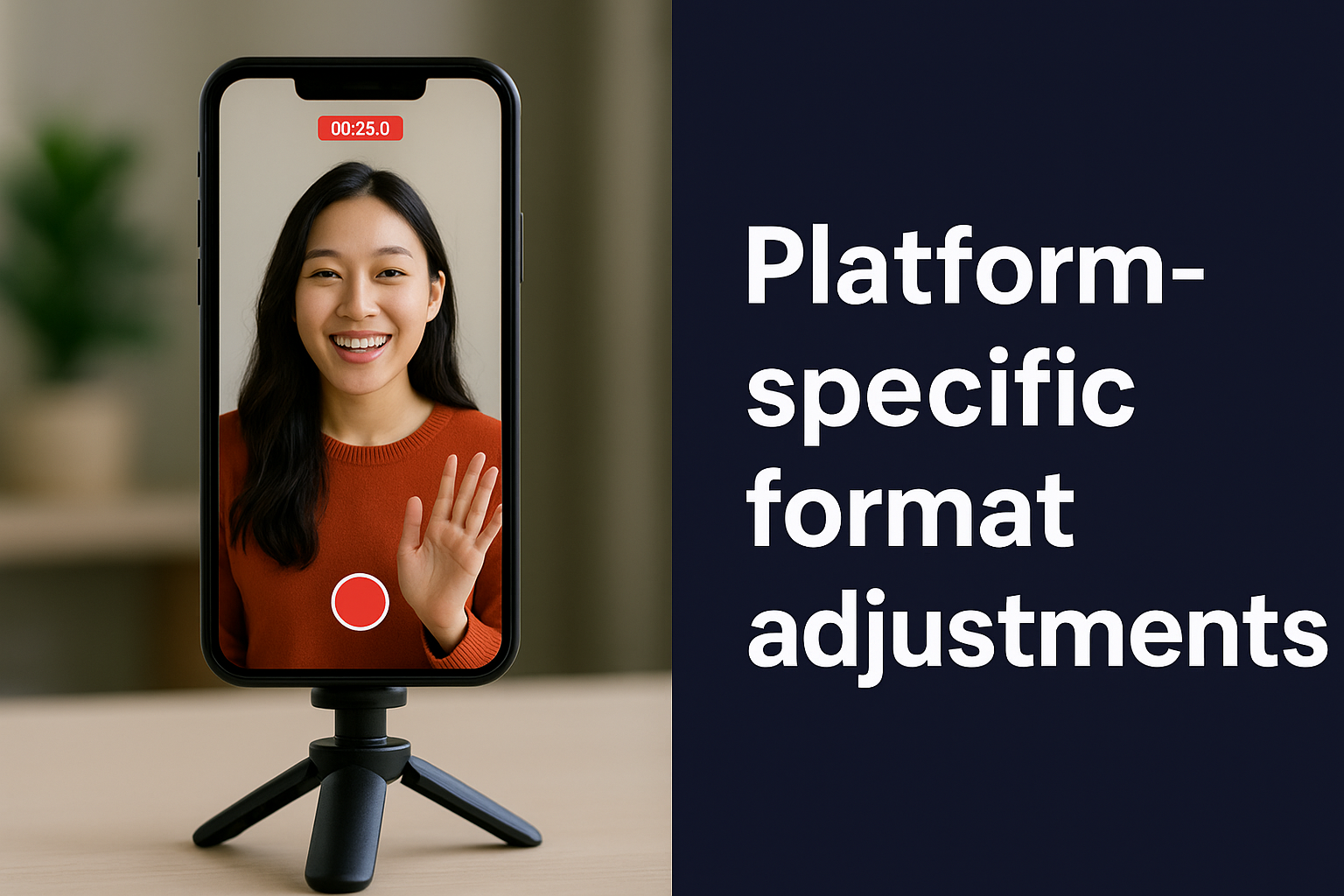
Platform-specific format adjustments
Export your video at 1080x1920 resolution (9:16 aspect ratio) for all three platforms. TikTok accepts videos up to 10 minutes but prioritizes content under 60 seconds in its algorithm. Instagram Reels allows 90-second videos, though videos under 30 seconds receive more distribution to non-followers. YouTube Shorts caps length at 60 seconds and requires videos filmed in vertical format without letterboxing or pillar boxes.
Add hashtags strategically based on each platform's culture. TikTok performs best with three to five relevant hashtags that describe your content category plus one trending hashtag when appropriate. Instagram Reels benefits from 10 to 15 hashtags mixed between niche-specific terms and broader discovery tags. YouTube Shorts relies more heavily on video titles and descriptions than hashtags, so limit tags to three highly relevant terms.
Platform algorithms test your video with a small audience first, then expand distribution based on initial engagement rates within the first hour.
Upload your video as a new creation rather than sharing a link from another platform. Cross-posting using share features triggers lower distribution because platforms prioritise native content that keeps users on their app rather than directing them elsewhere.
Write captions that drive action
Your caption provides context and tells viewers what to do next. Start with your strongest statement or question in the first line since platforms truncate captions after 100 characters in feed view. Mention your primary call to action directly, whether that involves following your account, sharing the video, commenting with opinions, or clicking your profile link for event information.
Use these caption formulas for consistent results:
Hook + Context + CTA: "This moment stopped everyone. Captured at [Event Name]. Tag someone who needs to experience this next year."
Question + Answer + CTA: "What happens when 5,000 people sing together? Pure magic. Share this if you were there."
Statement + Proof + CTA: "Best crowd energy we've ever seen. Watch until the end. Follow for more moments from [Event Name]."
Choose optimal posting times
Publish your video when your target audience actively scrolls their feed. Most event content performs best between 6 PM and 10 PM in your audience's timezone when people browse social media during evening downtime. Test posting on different days to identify your highest engagement windows, then schedule future content during those periods. Post your video within 24 to 48 hours of the event while the experience remains fresh in attendee minds and generates organic conversation. This timing captures search interest from people looking for event highlights and increases the likelihood that attendees share your content with their own networks.
Start creating your next short video
You now have a complete system for how to make a short form video that gets watched and shared. The six steps covered here work whether you capture footage yourself or collect content from attendees at your events. Start with one concept rather than trying to create five videos at once, then refine your process based on what performs best. Each video you publish teaches you something about what resonates with your specific audience.
Event organizers who consistently produce short form content see measurable increases in ticket sales and stronger community engagement between events. The authentic moments attendees capture often outperform professionally produced content because viewers trust real experiences over polished marketing. If you run events and want to streamline how you collect, organise, and use attendee-generated video content, book a demo to see how SureShot simplifies the entire process. Your next viral event moment is already happening. You just need the right system to capture it.


