
You've got brilliant video content from your latest event. Now what? The gap between capturing authentic moments and getting them in front of people isn't technical anymore. It's about knowing where to upload short video files, what each platform actually wants, and how to make it all happen without burning hours you don't have. This matters more in 2026 because short video isn't a trend anymore - it's how people consume everything, and the platforms have gotten pickier about what they'll show.
Why Platform Requirements Actually Matter
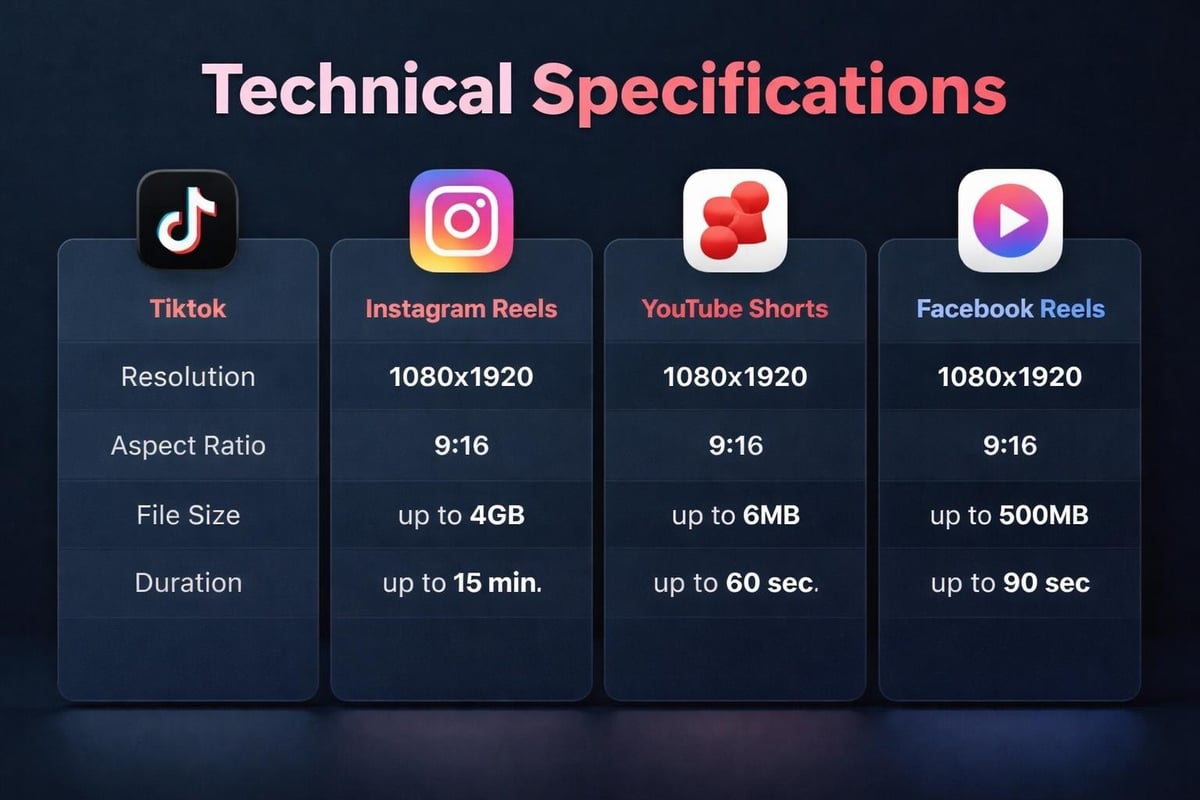
Here's the thing: you can upload short video files anywhere, but if they're not optimized for that specific platform, they'll get buried. Instagram wants vertical 9:16. YouTube Shorts wants under 60 seconds. TikTok wants authenticity over polish. Miss these specs and your content sits there like a brick.
Each platform has its own algorithm that decides who sees your stuff. When you upload short video content that matches their technical requirements, you're not just ticking boxes. You're telling the algorithm "this belongs here" and it rewards you with reach.
Key specifications you can't ignore:
- Resolution (1080x1920 for vertical, minimum)
- Aspect ratio (9:16 for most short-form platforms)
- File size limits (varies wildly by platform)
- Duration constraints (15s, 60s, or 90s depending where you're posting)
- Frame rate (30fps is standard, 60fps for smooth motion)
Getting Your Files Ready to Upload
Before you upload short video content anywhere, sort your files. Event footage especially - you'll have dozens of clips from different attendees, different phones, different lighting conditions. The best practices for creating short-form videos start with organization, not fancy editing.
File Formats That Work Everywhere
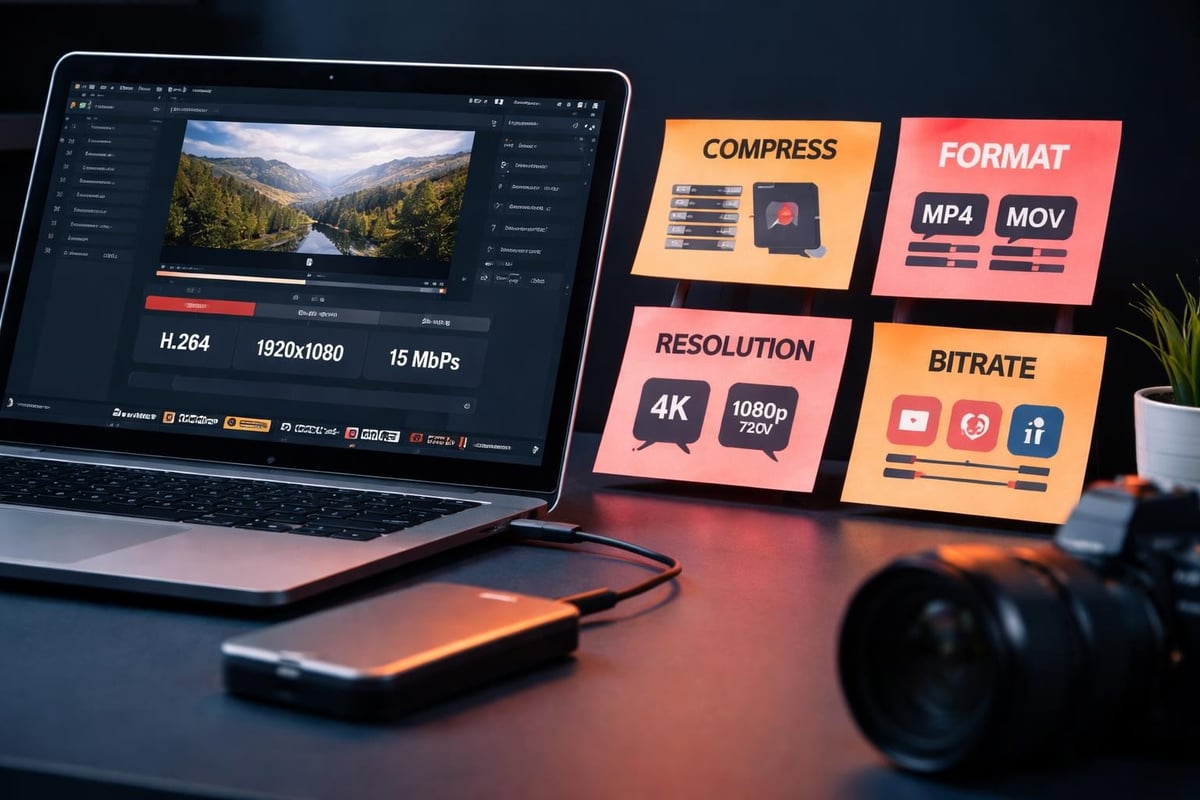
MP4 with H.264 codec wins. It's not exciting, but it's universal. MOV works if you're in the Apple ecosystem. Anything else and you're creating problems for yourself.
When attendees submit video content from events, they're filming on whatever phone they've got. That means you'll see everything from iPhone ProRes files to ancient Android formats. Converting everything to MP4 before you upload short video batches saves headaches later.
| Format | Compatibility | File Size | Quality |
|---|---|---|---|
| MP4 (H.264) | Universal | Moderate | Excellent |
| MOV | Apple-friendly | Large | Excellent |
| WebM | Web-native | Small | Good |
| AVI | Legacy systems | Very large | Variable |
The compression matters too. Understanding H264 vs H265 helps you balance quality against upload speeds. H.265 gives you better quality at smaller file sizes, but not every platform supports it yet.
Platform-Specific Upload Strategies
You can't upload short video the same way everywhere. Each platform has quirks that'll trip you up if you're not ready.
TikTok Upload Process
TikTok's the easiest. Open the app, hit the plus button, select your file. Done. But here's what actually affects performance: the first three seconds. If you upload short video content with a weak hook, you're toast. The platform measures watch time immediately and decides your fate in seconds.
When you're working with user-generated content from events, this means pulling the most authentic, energetic moments to the front. Not the staged stuff - the real reactions.
Instagram Reels Requirements
Instagram wants 1080x1920 pixels minimum. You can upload short video up to 90 seconds now, but the sweet spot is still under 30 seconds. The platform prioritizes content that keeps people in the app, so external links in captions hurt your reach.
For event organizers working with content curation best practices, this means choosing clips that stand alone. No "link in bio" nonsense. The content either works or it doesn't.
YouTube Shorts Specifications
YouTube Shorts accepts up to 60 seconds. Vertical format is mandatory (they'll add black bars otherwise, which looks amateur). The platform's gotten smarter about recommending Shorts, but you need proper metadata. Title, description, hashtags - all of it matters when you upload short video here.
The complete guide to uploading short videos across platforms breaks down every technical requirement, but YouTube's the pickiest about copyright. Event music will get flagged instantly.
Facebook Reels Approach
Facebook Reels is trying hard to compete. They'll accept videos up to 90 seconds, and they're pushing creators hard with better organic reach than regular posts. When you upload short video to Facebook, use their native uploader - not a third-party scheduler. The algorithm can tell the difference.
Our guide on how to use Facebook Reels covers the specific steps, but the key is posting when your audience is actually active. Facebook's older demographic means different peak times than TikTok.
Quality vs File Size: The Real Trade-Off
Everyone wants crystal-clear video, but massive files take forever to upload short video batches. You need balance.
Practical quality benchmarks:
- 1080p resolution (minimum for credibility)
- 30fps frame rate (60fps only if you've got action footage)
- Bitrate around 8-10 Mbps for good quality
- File size under 200MB per clip (for reliable uploads)
When you're dealing with authentic event footage, shot by attendees on phones, perfection isn't the goal. Authenticity is. A slightly grainy video of a genuine reaction beats a perfectly lit but boring clip every time.
The video optimization tips from ShortSync focus on technical specs, but don't obsess over them. Get the basics right and move on.
Batch Uploading When You've Got Volume
Event organizers don't upload short video one at a time. You've got hundreds of clips from attendees. Doing this manually is madness.
Tools That Actually Help
Native platform tools are slow but reliable. Third-party schedulers like Hootsuite or Buffer work for some platforms but not TikTok (they're protective of their API). For event video curation, you need something that handles both organization and distribution.
- Sort files by quality and relevance first
- Convert everything to platform-specific specs
- Write captions and metadata in batches
- Schedule uploads across peak engagement times
- Monitor performance and adjust
The trick is finding content curation software that doesn't force you to upload short video files manually to each platform. You want bulk processing with platform optimization built in.
Vertical vs Horizontal: Just Go Vertical
In 2026, this isn't a debate anymore. When you upload short video for social platforms, shoot and export vertical. People watch on phones. Phones are vertical. Math checks out.
If you've got horizontal footage from events, you can convert horizontal video to vertical, but you'll lose framing. Better to guide your attendees to film vertically from the start. It's what they do naturally anyway.
Upload Speeds and Network Reality
Technical guidelines from institutions like UC Santa Cruz's video best practices are great, but they assume perfect network conditions. Real world? You're uploading short video on whatever WiFi or mobile data you've got.
Speed optimization tactics:
- Upload during off-peak hours (late night works)
- Compress files before uploading (not during)
- Use wired connections for bulk uploads
- Keep file sizes under 100MB when on mobile data
- Have backup upload locations ready
At events, network congestion is brutal. Everyone's posting simultaneously. When you're collecting crowd-sourced video content, expect slower upload speeds and plan accordingly.
Metadata That Makes Content Discoverable
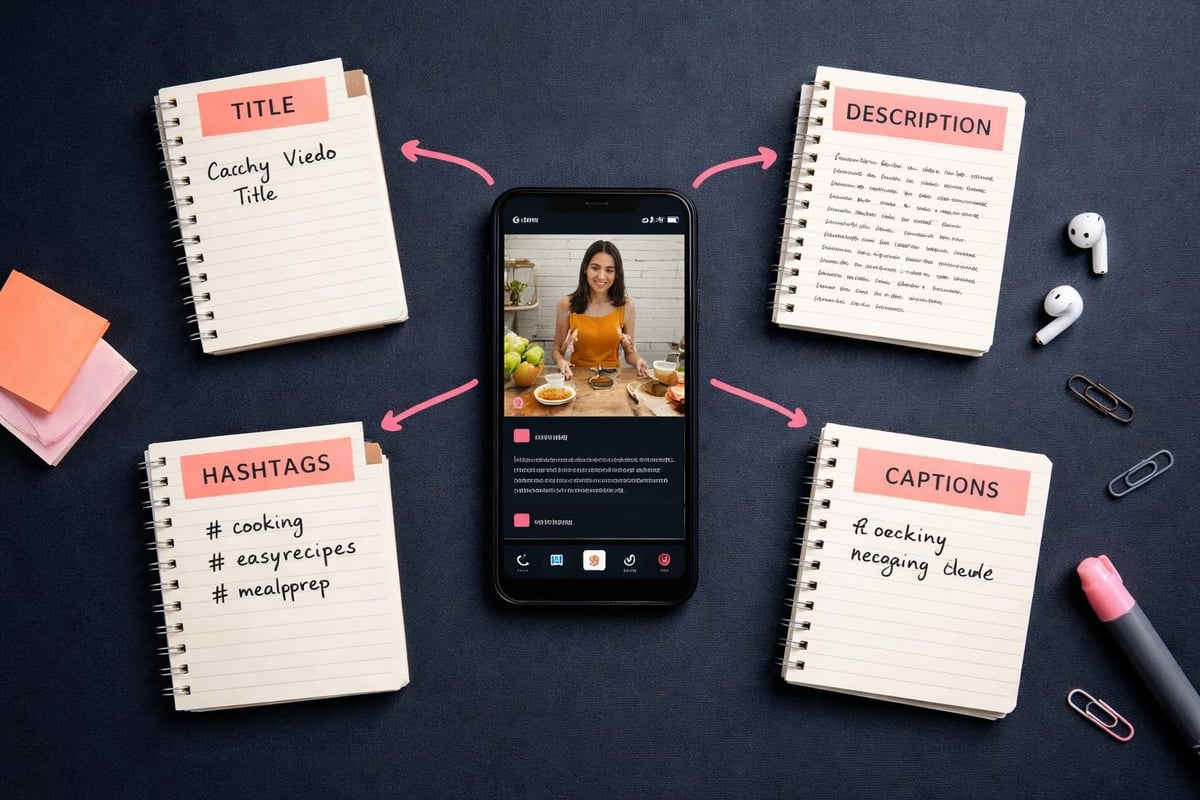
You can upload short video with perfect specs and zero metadata, and nobody finds it. Titles, descriptions, hashtags, and captions aren't optional extras - they're how platforms categorize your content.
Writing Captions That Work
Keep them short. Front-load the hook. Use line breaks so people can actually read them. When you upload short video from events, include location tags and relevant hashtags without spamming.
For content curation for social media, consistency matters more than perfection. Develop a style and stick with it.
| Element | Purpose | Best Practice |
|---|---|---|
| Title | First impression | Under 60 characters, keyword-rich |
| Description | Context and SEO | 150-200 characters, natural language |
| Hashtags | Discoverability | 3-5 relevant tags, mix popular and niche |
| Captions | Accessibility | Always include them, platforms reward it |
Common Upload Problems and Quick Fixes
You'll hit issues when you upload short video at scale. Here's what actually goes wrong and how to fix it fast.
Processing stuck: Platform servers are overloaded. Wait an hour and try again, or switch platforms temporarily.
Quality degradation: Your specs don't match platform requirements. Check the guide for uploading high-quality videos and adjust your export settings.
Audio sync issues: Frame rate mismatch. Re-export at 30fps and upload short video again.
Copyright flags: You've got music or content you don't own rights to. Replace it or accept limited distribution.
File rejected: Format or codec incompatible. Convert to MP4 H.264 and retry.
The technical aspects of uploading YouTube Shorts apply broadly - most issues are codec or format related, not platform quirks.
Mobile vs Desktop Uploads
Most people upload short video from their phones because that's where they filmed it. Makes sense. But for batch processing and quality control, desktop workflows win.
When Mobile Works Better
- Immediate posting from events
- Single video uploads
- Platform-specific features (TikTok effects, Instagram stickers)
- Location tagging while you're still there
When Desktop Is Smarter
- Bulk uploads
- Advanced editing before posting
- Better quality control
- Faster upload speeds on wired connections
- Screen real estate for video content curation decisions
For event organizers managing content from multiple attendees, desktop workflows let you maintain quality standards before you upload short video to public channels.
Timing Your Uploads for Maximum Reach
Platform algorithms favor fresh content, but they also favor content that gets immediate engagement. When you upload short video matters almost as much as what you upload.
Peak posting times in 2026:
- TikTok: 6-9 PM weekdays, 9 AM - 12 PM weekends
- Instagram: 11 AM - 2 PM weekdays, 10 AM - 1 PM weekends
- YouTube Shorts: 2-5 PM weekdays, 9-11 AM weekends
- Facebook: 1-4 PM weekdays, 12-1 PM weekends
These vary by audience demographics. Events with younger crowds skew later. Business events skew to lunch hours and early evenings.
Managing Rights and Permissions
When you upload short video that other people filmed, you need permission. Always. Event video platforms should have consent management built in, because asking for permission after the fact is a nightmare.
For user-generated content, clear terms at the point of capture save legal headaches later. People need to know how you'll use their footage before they submit it. Transparency isn't just ethical - it protects you when content goes viral.
Mobile App Considerations for Event Attendees
When your attendees upload short video through a dedicated app versus native social platforms, you control quality and rights from the start. The trade-off is adoption - people need to download and use your app instead of just posting to Instagram.
Mobile apps built for event video collection solve this by making the upload process simpler than social platforms, not harder. One tap, automatic optimization, done.
The key features that matter:
- Background uploading (people can close the app)
- Automatic format conversion (they don't think about specs)
- Clear permission handling (legal protection)
- Progress indicators (they know it's working)
- Offline queuing (uploads when connection improves)
Analytics After Upload
Once you upload short video, track what actually happens. Views, watch time, shares, comments - these tell you what's working. Most platforms give you basic analytics. Pay attention to:
- Watch time percentage: How much of your video people actually watch
- Drop-off points: Where they bail (fix this in future uploads)
- Engagement rate: Likes, comments, shares per view
- Traffic sources: Where viewers found your content
- Audience demographics: Who's actually watching
For short-form video trends, the data matters more than opinions. Your audience tells you what they want by what they watch.
Future-Proofing Your Upload Process
Platforms change their requirements constantly. What works to upload short video today might not work in six months. Build flexibility into your process:
- Export in multiple formats and keep source files
- Document your current specs and review quarterly
- Test new platform features as they launch
- Stay connected to creator communities for early warnings
- Build workflows that adapt to new requirements quickly
The mastering short-form video production guide covers production, but the same principles apply to distribution. What works scales. What doesn't, fix or abandon.
Getting video from events into people's feeds shouldn't be complicated, but it is. The technical requirements, platform quirks, and quality standards all demand attention you'd rather spend on content itself. When you're working with authentic footage from attendees, you need a system that handles the boring technical stuff automatically. That's exactly what SureShot ApS built - a platform that takes user-generated event content and gets it uploaded, optimized, and distributed without the manual headaches. Your attendees capture the moments. We handle everything after that.