




8 Best Live Video Streaming Platforms for Events in 2026
You need to broadcast your event to thousands of people who can't attend in person. The live video streaming platform you choose determines everything from video quality to audience engagement, production complexity to budget. Pick the wrong one and you'll spend hours wrestling with technical issues, watch viewers drop off because of poor streaming quality, or waste thousands on premium features you never actually use. Your attendees expect smooth streaming, interactive features, and the ability to watch on any device they own.
This guide breaks down 8 leading live streaming platforms designed specifically for events in 2026. Each platform serves different needs, from simple social media broadcasts to professional multicamera productions with advanced switching capabilities. You'll discover which platform matches your event type, accommodates your budget constraints, and aligns with your technical expertise level. We cover pricing models, key features, and the best use cases for each option so you can make an informed decision quickly.
1. SureShot
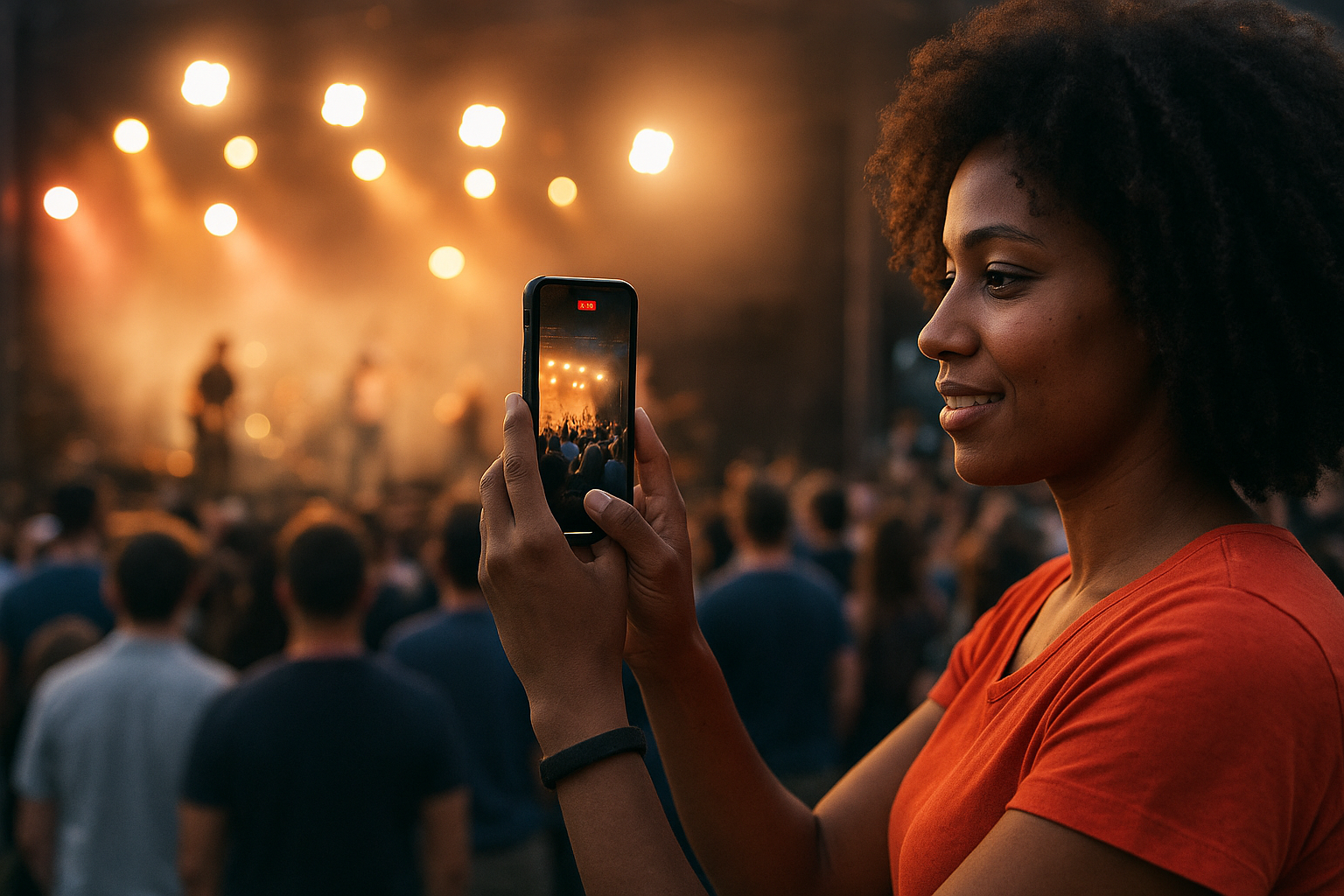
SureShot takes a fundamentally different approach to event live video by turning your attendees into content creators. Instead of relying solely on professional camera crews or single-perspective broadcasts, you collect authentic video moments from dozens or hundreds of participants who capture the event from their unique vantage points. This crowd-sourced video system generates a massive library of genuine content that you can curate, edit, and share across your marketing channels long after the event ends.
Key features for events
Your attendees upload video clips through a dedicated mobile app (iOS) or web interface (Android) using a unique event PIN you generate. The platform's AI assistance automatically reviews uploaded clips to identify compelling moments and flag important content, which saves you hours of manual sorting through hundreds of submissions. You receive a comprehensive content licence that allows you to edit, repurpose, and distribute attendee videos for promotional purposes while maintaining full data protection compliance.
The dashboard gives you complete control over event settings and content management, letting you organise submissions, track participation rates, and export footage for post-production. SureShot reduces your dependency on expensive professional video crews while simultaneously increasing organic social media reach through attendee sharing.
Event organizers who leverage attendee-generated content see significantly higher engagement rates and authenticity compared to traditional professionally-produced event videos.
Best use case
SureShot works best for festivals, concerts, and large-scale events where attendees naturally record their experiences. You'll get maximum value when your event attracts social media-active participants who enjoy sharing moments with their networks. Music events, sports competitions, and multi-day conferences generate the most usable content because attendees capture different perspectives, performances, and memorable moments throughout the venue.
Pricing model
Contact SureShot directly for custom pricing based on your event size, expected attendee participation, and feature requirements. The platform typically structures pricing around the number of events you host and storage needs for collected video content.
2. StreamYard
StreamYard simplifies browser-based live streaming by eliminating the need for complex software downloads or professional production equipment. You broadcast directly from your web browser to multiple platforms simultaneously, managing your entire production through an intuitive interface that handles multi-destination streaming without technical expertise. The platform supports both live broadcasts and pre-recorded content, giving you flexibility in how you present your event to virtual audiences.
Key features for events
You can stream simultaneously to YouTube, Facebook, LinkedIn, and custom RTMP destinations while switching between multiple guests, screen shares, and camera angles in real time. StreamYard provides on-screen branding options including logos, banners, and custom backgrounds that maintain your event's visual identity throughout the broadcast. The platform displays live comments from different platforms in a unified feed, letting you interact with your audience regardless of where they're watching.
Browser-based streaming tools democratize live video production by removing technical barriers that traditionally required dedicated software and specialized knowledge.
Best use case
StreamYard excels for webinars, panel discussions, and interview-style events where you host multiple remote speakers simultaneously. You'll find it particularly valuable when broadcasting to audiences across several social platforms at once, maximising reach without managing separate streams for each destination.
Pricing model
StreamYard offers a free tier with basic features and StreamYard branding, while paid plans start at $25 monthly for removing watermarks and accessing advanced features like custom branding and recording capabilities.
3. Vimeo Livestream
Vimeo Livestream delivers professional-grade broadcasting through a platform that prioritizes video quality and audience experience over social media integrations. You access enterprise-level streaming capabilities including adaptive bitrate streaming, which automatically adjusts video quality based on each viewer's internet connection to minimise buffering and dropouts. The platform stores your streams automatically and provides robust privacy controls that let you restrict viewing to specific audiences or require registration before access.
Key features for events
You broadcast in high-definition quality up to 4K resolution with minimal latency, maintaining professional production standards throughout your event. Vimeo's embedded player integrates seamlessly into your website or event portal while preserving your brand identity without platform logos or distracting elements. The platform supports simultaneous streaming to multiple destinations, detailed analytics that track viewer engagement patterns, and live chat functionality that facilitates audience interaction during broadcasts.
Professional event producers consistently choose Vimeo when video quality and brand control take priority over maximising social media distribution.
Best use case
Vimeo Livestream works best for corporate events, product launches, and premium content where you need complete control over distribution and viewing experience. You'll benefit most when broadcasting to registered audiences or when your event requires monetization options through pay-per-view access.
Pricing model
Vimeo structures live video streaming through tiered plans starting at $75 monthly for basic streaming features, with premium and enterprise options scaling based on simultaneous viewers and storage requirements.
4. YouTube Live
YouTube Live gives you access to the world's largest video platform with over 2 billion active users while requiring zero subscription costs for basic streaming capabilities. You broadcast to an established audience ecosystem where viewers already spend countless hours consuming content, making discovery significantly easier than standalone platforms. The platform handles technical infrastructure automatically, including adaptive streaming that adjusts quality based on viewer bandwidth, unlimited storage for archived streams, and integration with Google's search capabilities that help new audiences find your event content months after broadcast.
Key features for events
You stream in resolutions up to 4K with automatic transcoding that creates multiple quality versions for different connection speeds. YouTube provides live chat moderation tools including automated filters, moderator assignments, and slow mode options that keep conversations manageable during high-engagement moments. The platform supports scheduled streams with countdown pages, real-time analytics showing concurrent viewers and engagement metrics, and automatic DVR functionality that lets viewers rewind during live broadcasts.
Events streamed on YouTube benefit from the platform's unmatched discoverability through Google search integration and recommendation algorithms that surface content to relevant audiences.
Best use case
YouTube Live works best for public events, educational content, and community-building activities where you want maximum reach without platform restrictions. You'll find it particularly valuable when building long-term audience relationships since archived live video content remains searchable and accessible indefinitely.
Pricing model
YouTube Live operates completely free for creators, generating revenue through optional advertising rather than subscription fees. You simply need a verified YouTube channel to access streaming features.
5. vMix
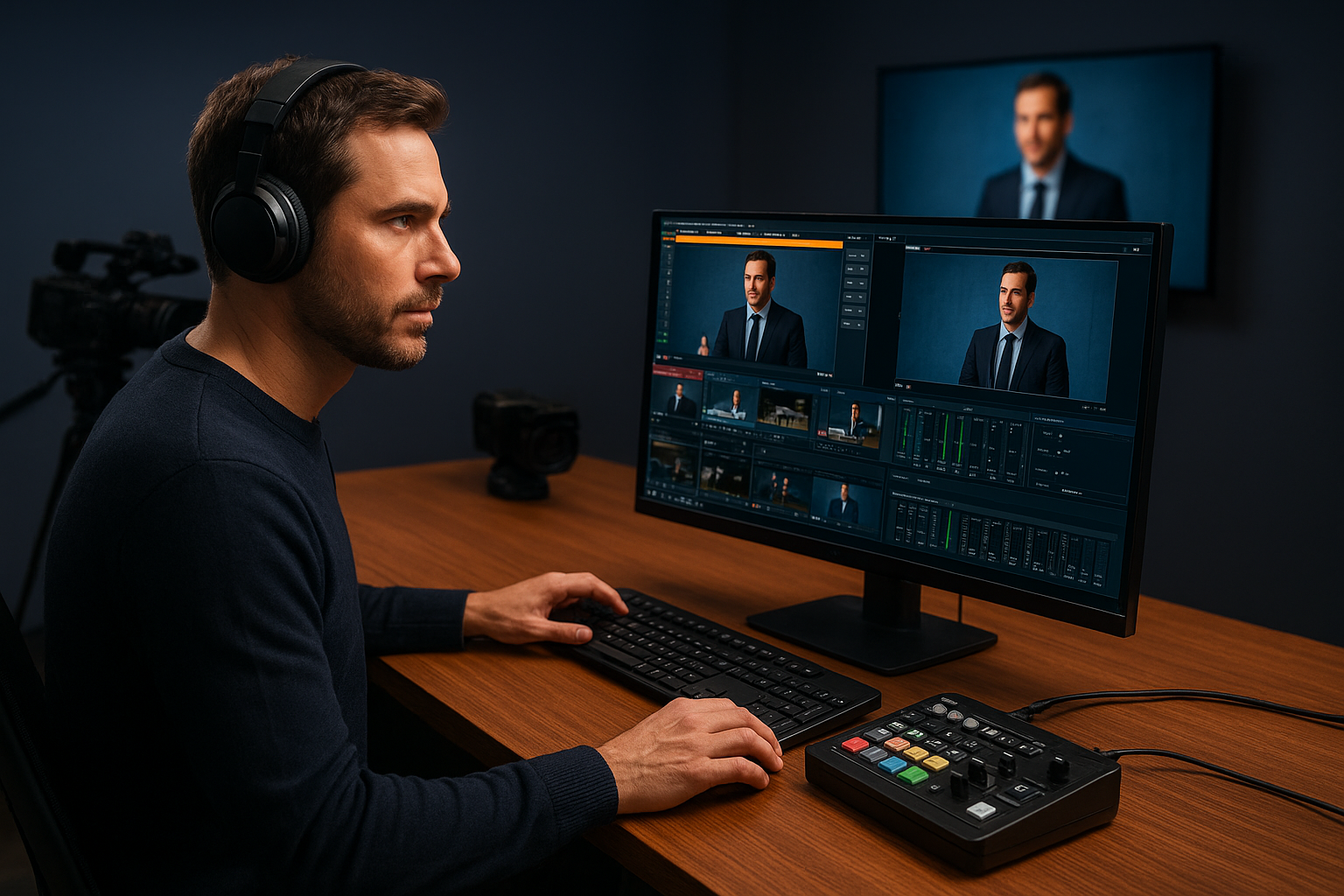
vMix provides professional-grade live production software that runs on your Windows computer, transforming it into a complete video mixing system capable of handling complex multi-camera broadcasts. You gain access to broadcast television capabilities including real-time switching between up to 1000 input sources, advanced graphics overlays, and professional transitions that match network-quality production standards. The software operates as a one-time purchase rather than monthly subscription, giving you permanent access to powerful streaming tools without recurring platform fees.
Key features for events
You control multiple camera angles, screen captures, and pre-recorded content simultaneously through an intuitive mixing interface that lets you create dynamic broadcasts in real time. vMix supports NDI protocol for network-based video sources, allowing you to integrate cameras and other devices over your local network without physical cable limitations. The software includes instant replay functionality, virtual set technology for green screen backgrounds, built-in audio mixing with effects, and simultaneous streaming to multiple destinations including YouTube, Facebook, and custom RTMP servers.
Professional event producers choose vMix when they need complete creative control over production without relying on cloud-based platforms or monthly subscription models.
Best use case
vMix excels for conferences, sports events, and multi-camera productions where you require sophisticated switching capabilities and broadcast-quality output. You'll maximise value when investing in recurring events that justify the upfront software cost through reduced rental expenses for professional streaming equipment.
Pricing model
vMix operates on a perpetual licence model with different tiers ranging from free basic functionality to $1,200 for the Pro version that unlocks all features including 4K support and unlimited inputs.
6. Facebook Live
Facebook Live connects you with 3 billion active users through a platform where your target audience already spends significant daily time scrolling, commenting, and sharing content. You broadcast directly from your Facebook Page or personal profile, instantly notifying followers when you go live and creating opportunities for viral reach through shares and reactions. The platform prioritizes live content in news feeds, giving your event stream higher visibility than pre-recorded videos and increasing the likelihood that followers see your broadcast in real time.
Key features for events
You access native audience engagement tools including live reactions, real-time comments, and viewer count displays that encourage participation during your broadcast. Facebook provides multi-platform streaming through companion apps that let you broadcast from mobile devices, computers, or professional streaming software using RTMP integration. The platform automatically saves broadcasts to your timeline where they continue generating views and engagement long after the live event concludes, while analytics show you detailed metrics about viewer retention, peak concurrent viewers, and demographic information.
Events broadcast on Facebook Live benefit from algorithmic prioritization that surfaces live content to followers who might otherwise miss standard posts in crowded news feeds.
Best use case
Facebook Live works best for community events, casual broadcasts, and social engagement-focused activities where you already maintain an active Facebook presence with established followers. You'll maximise reach when your audience demographic aligns with Facebook's user base and when your event benefits from spontaneous sharing among social networks.
Pricing model
Facebook Live operates completely free with no subscription fees or streaming limits, making it accessible for organizations of any size or budget level.
7. Veo Live
Veo Live specializes in automated sports streaming through AI-powered camera systems that record and broadcast athletic events without requiring manual camera operators. You set up a portable camera unit that uses artificial intelligence to track gameplay automatically, panning and zooming to follow the action while eliminating the need for dedicated videography staff. The platform targets amateur sports organizations, schools, and clubs that want professional-quality streaming capabilities without the expense of hiring production crews for every game or match.
Key features for events
You receive automatic game recording and live streaming through a single camera that mounts on a portable tripod and captures the entire field or court. Veo's AI technology analyses gameplay in real time, creating smooth tracking shots that follow the ball and key players throughout the match. The platform automatically uploads footage to the cloud where you access full game recordings, create highlight reels, and share content with teams, families, and scouts who couldn't attend in person.
Sports teams using AI-powered streaming solutions reduce production costs by over 90% compared to traditional camera crews while maintaining broadcast-quality coverage.
Best use case
Veo Live works best for youth sports leagues, amateur athletic competitions, and school sporting events where you need consistent game footage without budget for professional videography. You'll maximise value when recording multiple games per season since the camera system becomes a permanent asset rather than recurring rental expense.
Pricing model
Veo operates on a hardware purchase plus subscription model, with camera systems starting around $799 and monthly plans from $39 for basic streaming and storage capabilities.
8. Zoom Events
Zoom Events extends the familiar video conferencing platform into a comprehensive event hosting solution that combines live video sessions, registration management, and attendee networking in a single integrated system. You leverage Zoom's proven stability and widespread adoption to create virtual or hybrid events where participants already understand the interface and trust the technology. The platform connects video sessions with event hubs that house schedules, sponsor booths, and networking lounges, transforming individual meetings into complete event experiences that replicate in-person gatherings.
Key features for events
You manage multi-session events through a centralized hub that attendees access for the entire conference or summit duration. Zoom provides breakout rooms for networking, interactive polls and Q&A functionality, live transcription services, and backstage preparation areas where speakers can test connections before going live. The platform supports registration workflows with ticketing options, attendee data collection, and automated email communications that guide participants through the event experience.
Best use case
Zoom Events works best for virtual conferences, training sessions, and corporate meetings where you need reliable video quality combined with structured event management tools. You'll maximise value when hosting events where attendees benefit from networking opportunities between sessions rather than just watching passive broadcasts.
Pricing model
Zoom structures events pricing as add-on packages to existing Zoom licences, with single-session events starting around $690 and multi-session events requiring custom quotes based on attendee capacity and duration.
Wrapping up event streaming
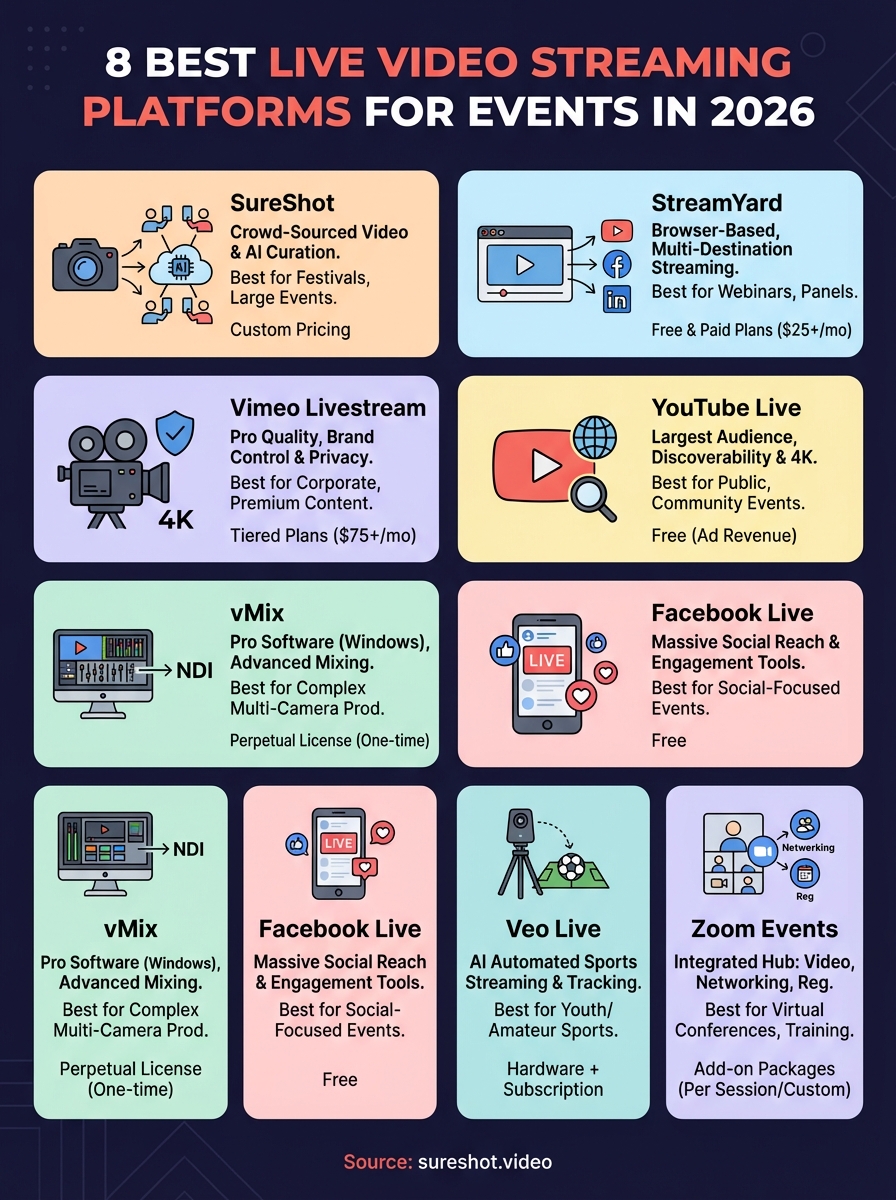
You now have eight distinct live video streaming platforms to choose from, each serving different event types, budget levels, and production requirements. Your decision ultimately depends on whether you prioritise widespread social media distribution, professional broadcast quality, interactive attendee experiences, or authentic crowd-sourced content that extends beyond the live event itself.
Most event organizers focus exclusively on broadcasting their own perspective through professional cameras and production crews. This traditional approach captures one angle while missing hundreds of authentic moments happening throughout your venue. SureShot fundamentally changes event content strategy by turning attendees into content creators, capturing genuine experiences from dozens of perspectives simultaneously while reducing production costs and expanding organic social reach through participant sharing.
The platform works alongside any live streaming solution you choose from this list, creating a comprehensive video library that continues generating value long after your broadcast ends. Book a demo to see how crowd-sourced video transforms your event content approach.


