
How to Curate Content for Social Media & Blogs: Steps+Tools
You know the feeling. You open your social media scheduler, stare at empty slots, and wonder what to post next. Creating original content for every slot drains your time and budget. Your team can only produce so much before quality drops or burnout hits.
Content curation solves this. Instead of creating everything from scratch, you strategically find, organise, and share valuable content from other sources. You add your perspective, mix in authentic attendee videos, and maintain an active presence without the constant creation grind. Done right, curation positions you as a trusted resource while cutting your content workload by half.
This guide walks you through exactly how to curate content for your social channels and blog. You'll learn what content curation actually means, how to build a reliable source list, why user generated event videos matter, and which tools make the whole process faster. By the end, you'll have a repeatable system that keeps your channels active and your audience engaged.
What content curation really means
Content curation is the process of discovering, selecting, and sharing the most relevant content from other sources with your specific audience. You act as a filter, sifting through hundreds of articles, videos, and posts to present only what matters most. The key difference from simple sharing is that you add your own perspective, context, and commentary to make the content more valuable for your followers.
What curation is (and isn't)
Curation differs fundamentally from content aggregation. An aggregator collects links automatically without human judgment or added value. You see this with sites that republish RSS feeds or scrape headlines with no editorial input. True curation requires human selection and thoughtful presentation. You evaluate each piece for quality, relevance, and accuracy before sharing it with your audience.
Curation also respects copyright and always credits the original creator. You never copy entire articles or claim others' work as your own. Instead, you share excerpts, summaries, or key insights with a direct link back to the source. This approach builds relationships with content creators while protecting you legally.
Effective curation positions you as a trusted guide, not just an echo chamber.
The three essential components
Every curated piece needs three components to work. First, you need the source content itself, whether that's an article, video, infographic, or social post. Second, you add your unique perspective or commentary that explains why this content matters to your audience. Third, you provide proper attribution with a clear link to the original creator.

Understanding how to curate content means recognising that you're building trust with your audience through consistent quality. When you regularly share valuable resources and add thoughtful insights, people start viewing you as their go-to source for information in your space. This positions you as an authority without requiring you to create every single piece of content yourself.
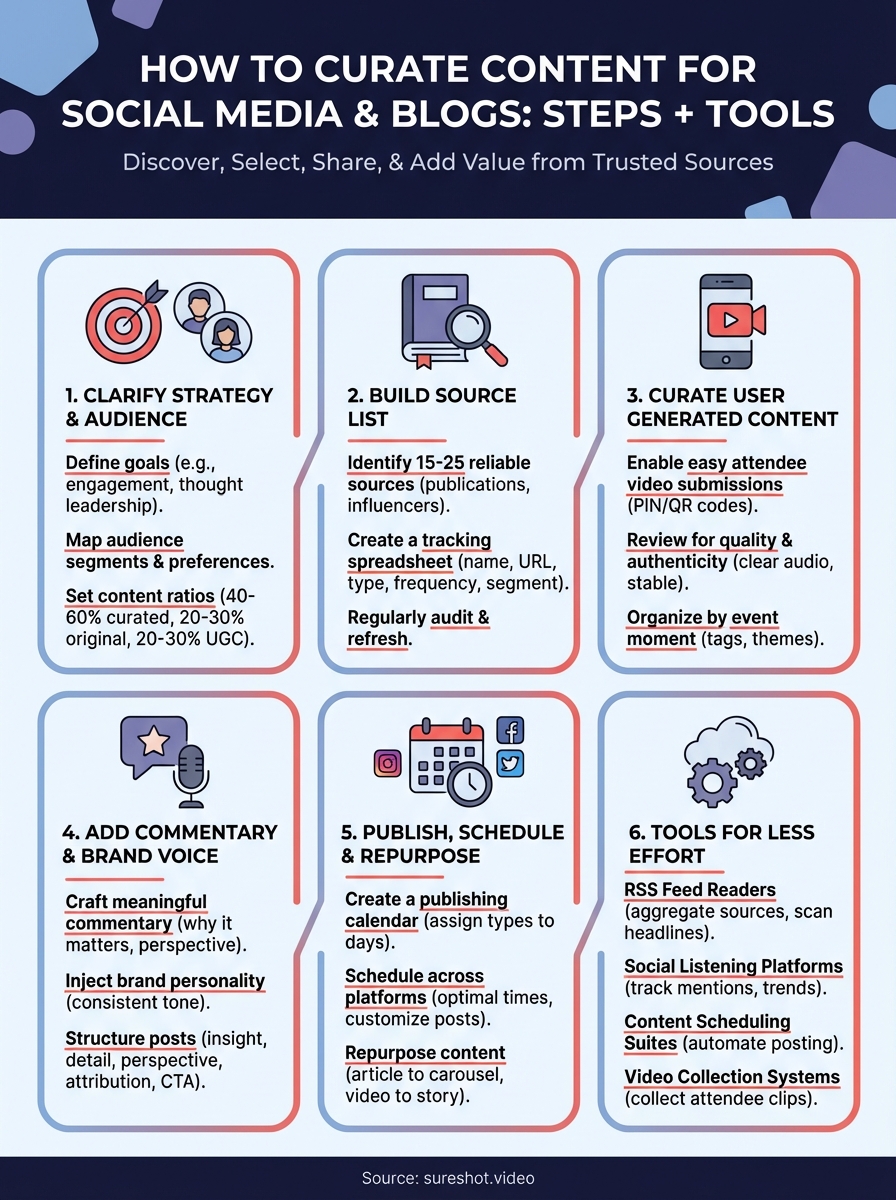
Step 1. Clarify your strategy and audience
Before you start hunting for content to share, you need a clear direction. Your curation strategy determines what content you look for and how you present it to your followers. Without this foundation, you end up sharing random articles that don't connect with your audience or support your goals. Start by answering two fundamental questions: what do you want to achieve through curation, and who exactly are you curating for?
Define your curation goals
Your curation goals shape every decision you make about content selection. Most event organizers curate content to achieve one or more of these objectives: establishing thought leadership in their event category, keeping attendees engaged between events, attracting new attendees through valuable resources, or reducing the time spent on content creation. Pick your top two goals and write them down. These become your filter when evaluating whether a piece of content deserves to be shared.
For example, if your primary goal is keeping attendees engaged, you'll prioritise content about trends in your event space, behind-the-scenes preparation updates, and community stories. If your goal is attracting new attendees, you'll focus on educational content that demonstrates your event's value and showcases what makes your community special. Each goal requires a different content mix and voice.
The clearer your goals, the faster you can evaluate potential content and the more consistent your curation becomes.
Map your audience segments
You likely serve multiple audience types who care about different aspects of your events. Break down your audience into two or three distinct segments based on their relationship to your events. For a music festival, you might have first-time attendees, returning fans, and industry professionals. Each segment needs different content to stay engaged and move closer to attending or participating.
Create a simple audience map using this template:
Segment 1: [Name, e.g., "First-time attendees"]
- Primary interest: [e.g., "Event logistics, what to expect"]
- Content preferences: [e.g., "Beginner guides, FAQ content, attendee testimonials"]
- Preferred platforms: [e.g., "Instagram, Facebook"]
Segment 2: [Name, e.g., "Returning fans"]
- Primary interest: [e.g., "Lineup announcements, exclusive experiences"]
- Content preferences: [e.g., "Artist interviews, early access info, community highlights"]
- Preferred platforms: [e.g., "Email, Instagram Stories"]
Understanding how to curate content effectively means matching content types to the right audience segments. You don't share the same articles with everyone. Instead, you tailor your curation choices based on what each segment values most.
Set your content ratios
Determine what percentage of your content will be curated versus created. A healthy content mix typically includes 40-60% curated content from external sources, 20-30% original content you create, and 20-30% user-generated content from attendees. This ratio keeps your channels active without overwhelming your team. Adjust these percentages based on your team's capacity and your audience's response to different content types.
Track which content types get the most engagement from each audience segment. If your returning fans engage heavily with curated artist interviews but ignore educational articles, shift more of your curation efforts toward interview content for that segment. Your initial ratios serve as a starting point, not a permanent rule.
Step 2. Build your content source list
Your content source list acts as your curation library. A well-organised list of trusted sources saves you hours each week because you know exactly where to look for quality content. Instead of starting from scratch every time you need something to share, you have a vetted collection of publishers, creators, and platforms that consistently deliver value to your audience. Building this list takes effort upfront but pays dividends every time you sit down to curate.
Identify reliable industry sources
Start by collecting 15 to 25 sources that regularly publish content your audience segments care about. Look for industry publications, influential bloggers, and thought leaders who cover your event space. Quality beats quantity here. Ten excellent sources that publish weekly outweigh fifty mediocre ones that post sporadically.
Find sources by asking these questions about your event space:
- Which publications do industry professionals reference most often?
- Where do your competitors share content from?
- What blogs or newsletters do your attendees already follow?
- Which creators produce video content that resonates with your audience?
For a music festival, your sources might include music journalism sites, artist management blogs, festival production channels, and local cultural publications. Test each source by reading or watching five recent pieces to confirm their content quality and perspective align with your brand values.
The best curation sources publish content that your audience would discover on their own if they had unlimited time to search.
Create a source tracking system
Organise your sources in a spreadsheet that helps you evaluate and access them quickly. Your tracking system needs to capture the source name, URL, content type, update frequency, and which audience segment each source serves best. Add a notes column for observations about content quality or specific topics they cover well.

Use this template structure:
| Source Name | URL | Content Type | Frequency | Audience Segment | Quality Rating | Notes |
|---|---|---|---|---|---|---|
| [Publication] | [Link] | Blog/Video/Podcast | Daily/Weekly | [Segment name] | 1-5 stars | [Observations] |
Tag each source with the audience segment it serves so you can filter quickly when curating for specific groups. When you need content for first-time attendees, you pull from sources tagged for that segment rather than scrolling through your entire list.
Audit and refresh your list regularly
Review your source list every quarter to remove sources that stopped publishing quality content or shifted their focus. Add new sources you discover through your network or from content that performs well when shared by others in your industry. Understanding how to curate content effectively means recognising that your source list evolves as your audience interests change and new creators emerge in your space.
Track which sources generate the most engagement when you share their content. Sources that consistently drive clicks, comments, and shares deserve priority positions in your rotation. Remove sources that publish rarely or produce content that your audience ignores, even if those sources seemed promising initially.
Step 3. Curate user generated event content
User generated content from your events gives you authentic video and photo material that resonates far better than polished marketing content. Your attendees capture genuine reactions, unique perspectives, and spontaneous moments that professional crews miss. Learning how to curate content from attendees turns every ticket holder into a potential content creator for your brand. This approach fills your content calendar with fresh material while strengthening community bonds.
Enable attendee video submissions
Set up a system that makes video submission effortless for attendees during your events. Provide a simple PIN code or QR code that attendees can access to upload their clips directly from their phones. Place these codes on screens, in your event app, or on physical signage throughout the venue. The easier you make submission, the more content you collect from different viewpoints across your event space.
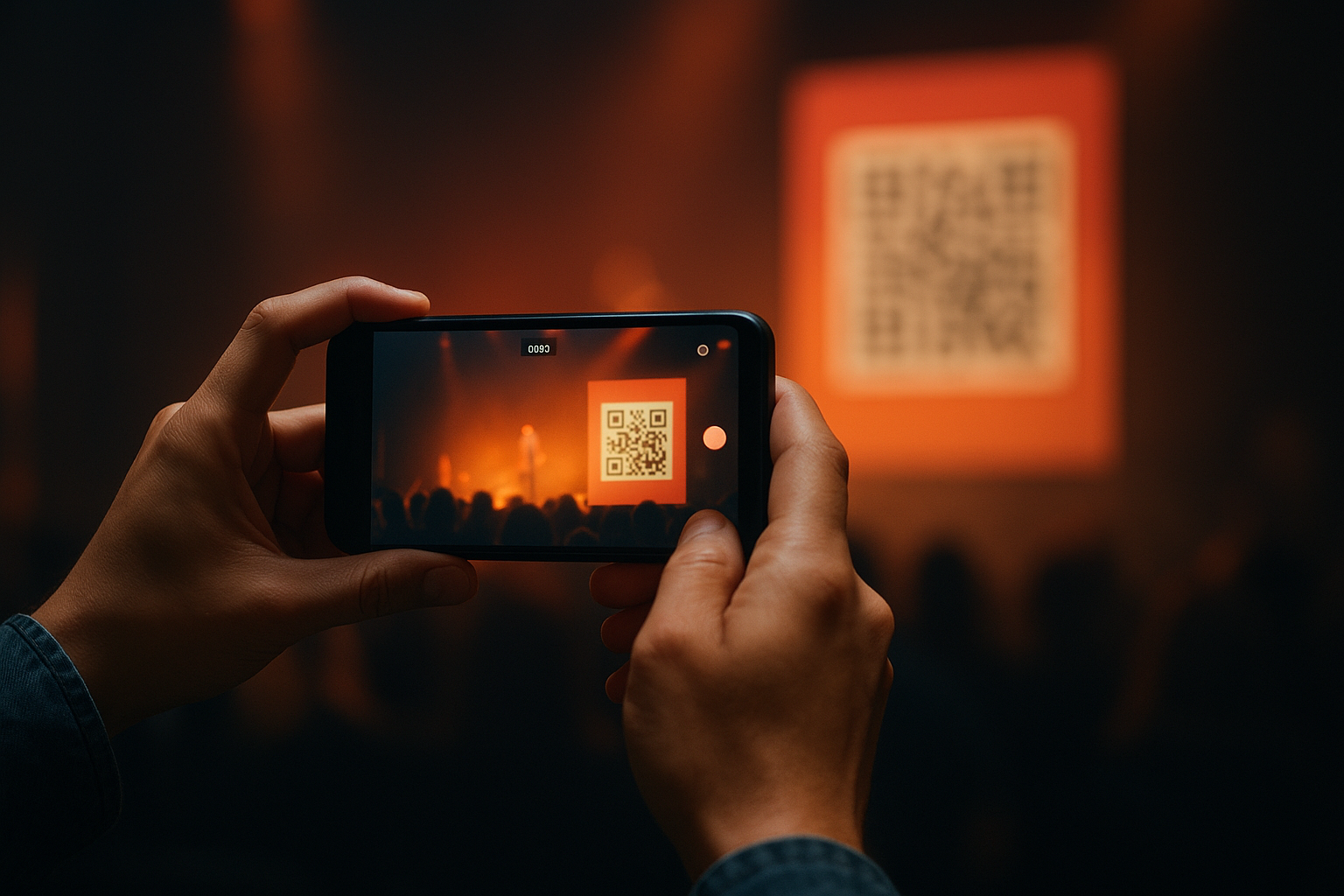
Communicate submission guidelines clearly before and during the event. Tell attendees what types of moments you want captured, like crowd reactions, behind-the-scenes access, or artist performances. Request clips between 10 to 30 seconds to keep content snackable for social media. Explain that by submitting, attendees grant you permission to use their videos in your promotional materials.
Review and select best clips
Sort through submitted videos within 24 hours while the event energy remains fresh. Look for clips with clear audio, stable footage, and authentic emotional moments that showcase your event's atmosphere. Prioritise videos that capture what professional cameras cannot: the attendee experience from ground level, reactions in the crowd, or spontaneous interactions between participants.
Authentic attendee footage builds trust with potential ticket buyers faster than any promotional video you could produce.
Reject clips with poor lighting, excessive shaking, or content that conflicts with your brand values. Create categories as you review: performance highlights, crowd reactions, venue atmosphere, and testimonials. This categorization speeds up your curation process when you need specific content types for different platforms or campaigns.
Organise by event moment
Tag each selected video with metadata that helps you find it later. Include tags for the specific day, time slot, location within the venue, and the type of moment captured. Add notes about which audience segment would find each clip most valuable. Structure your video library so you can quickly pull clips when building recap reels, promotional montages, or social media posts for upcoming events.
Build themed collections from your curated attendee videos. Group clips that show first-timer reactions separately from veteran attendee moments. Create collections around specific artists, stages, or experiences that you can repurpose throughout the year. This organization transforms scattered user submissions into a strategic content asset that supports multiple marketing objectives.
Step 4. Add commentary and brand voice
Raw content sharing without your perspective creates noise, not value. Your commentary transforms a simple link into a meaningful recommendation that your audience trusts and engages with. Understanding how to curate content effectively means recognising that your unique voice and insights separate you from the hundreds of other accounts sharing the same articles. This step converts curation from passive sharing into active thought leadership that strengthens your event brand.
Craft meaningful commentary
Write commentary that explains why you selected this specific piece for your audience. Address what makes this content relevant right now and how it connects to your attendees' interests or concerns. Skip generic phrases like "great article" or "must read" that add nothing. Instead, pull out the specific insight or data point that caught your attention and explain its significance.
Use this commentary template to structure your thoughts:
[Hook: Specific insight or question from the content]

[Context: Why this matters to your audience segment]

[Your perspective: What you agree/disagree with or what this means for your events]

[Link to full content with credit]
Apply this template to a festival lineup announcement article you want to share. Your hook might highlight a surprising booking trend the article revealed. Your context explains how this trend affects what attendees can expect at your event. Your perspective adds whether you plan to follow this trend or take a different approach at your next event.
Commentary that connects curated content to your audience's specific situation drives 3x more engagement than sharing links alone.
Inject your brand personality
Maintain consistency with your event's voice when adding commentary to curated content. If your brand speaks casually and enthusiastically, your curation commentary should match that energy rather than suddenly becoming formal or corporate. Review your existing original content to identify distinctive phrases, humor style, or perspective that defines your voice, then carry these elements into your commentary.
Adapt your voice intensity based on the platform where you share. Instagram captions allow for longer storytelling and personal anecdotes that connect curated content to your event community. Twitter demands punchier, more direct commentary that delivers your perspective in fewer words. LinkedIn commentary benefits from a slightly more professional angle that emphasizes industry implications.
Structure your curated posts
Format your curated posts consistently so your audience recognizes them instantly. Start with your commentary paragraph that adds value, then include a clear attribution line that credits the original creator by name or publication. End with relevant tags for your audience segments or event categories that help people discover your curation.
Follow this structure for social media curated posts:
- Opening sentence: Your main insight or takeaway from the content
- Supporting detail: Specific data, quote, or point that supports your insight
- Your perspective: How this relates to your events or community
- Attribution: "Via [Creator Name/Publication]" with link
- Call to action: Ask a question or prompt discussion
Test this structure across five curated posts this week and track which commentary approaches generate the most replies or shares. Refine your commentary style based on actual engagement data rather than assumptions about what your audience wants to hear from you.
Step 5. Publish, schedule and repurpose
Publishing curated content consistently requires a system that removes decision fatigue from your workflow. Scheduling tools automate posting times while repurposing transforms single pieces into multiple formats for different platforms. Understanding how to curate content at scale means building a publishing rhythm that maintains your presence without demanding constant manual attention. This final step converts your curated collection into a steady stream of valuable content your audience can rely on.
Create a publishing calendar
Map out your curated content at least two weeks ahead across all platforms. Start by assigning specific content types to specific days of the week to establish patterns your audience recognizes. Monday might feature industry news roundups, Wednesday could spotlight user generated event videos, and Friday might share behind-the-scenes content from other events or venues. This structure speeds up your curation decisions because you know exactly what type of content you need for each slot.
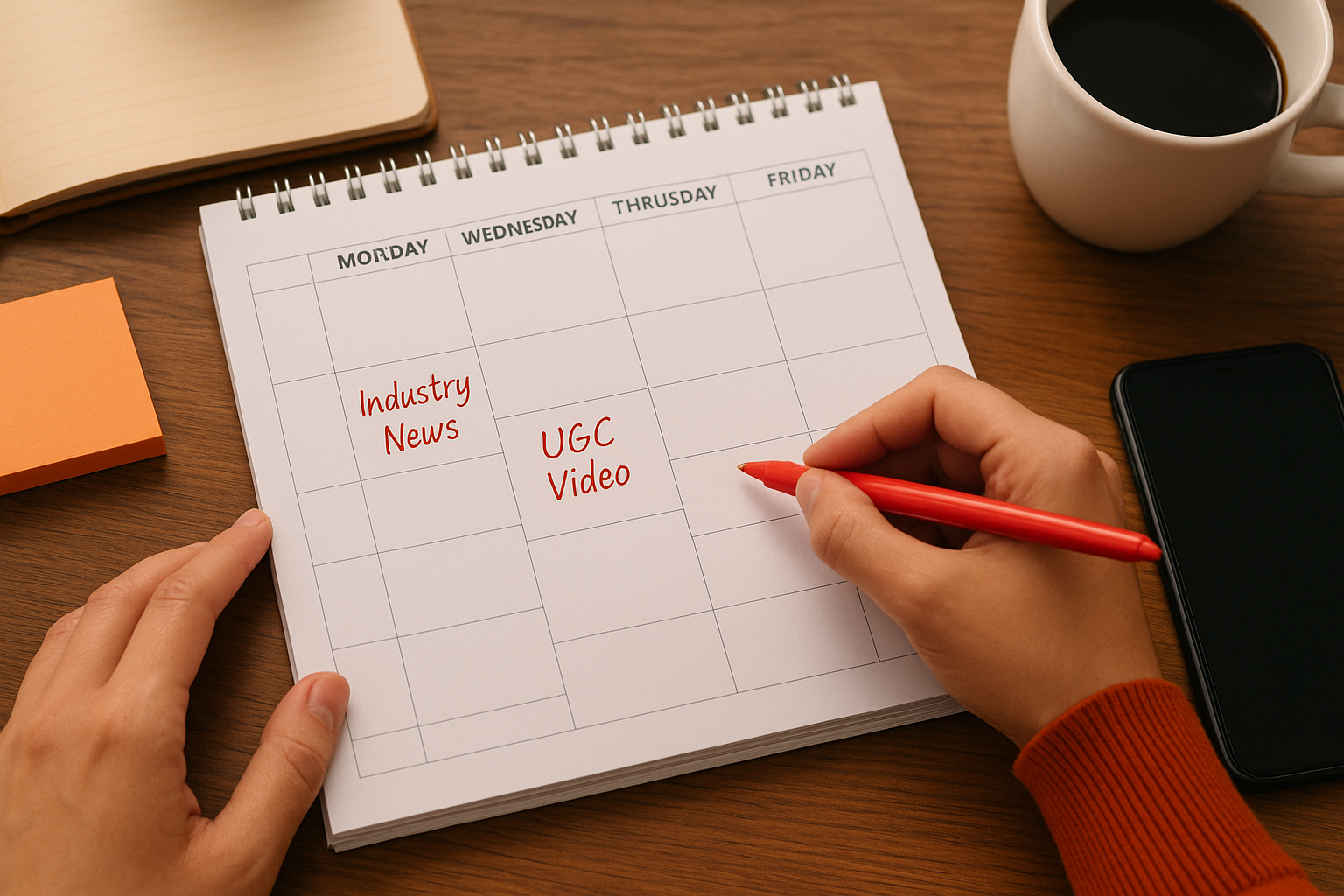
Build your calendar using this weekly framework:
| Day | Platform | Content Type | Source Category | Audience Segment |
|---|---|---|---|---|
| Monday | Industry news | Publications | All segments | |
| Wednesday | UGC video highlight | Attendee submissions | Returning fans | |
| Friday | Event production tip | Expert blogs | Industry professionals |
Block time each week to batch your curation work rather than scrambling daily for content. Spend 90 minutes finding and selecting content for the full week ahead, then write all your commentary in one focused session. This approach maintains consistency even during busy event production periods when you have limited time for social media management.
Batching your curation work cuts the time spent on social media management by 60% compared to daily posting decisions.
Schedule across platforms
Load your curated posts into scheduling software that publishes automatically at optimal times for each platform. Instagram posts typically perform best between 11am and 1pm on weekdays, while Twitter engagement peaks during morning commutes and lunch breaks. Test different posting times for three weeks and track which slots generate the most clicks and comments from your audience segments. Adjust your schedule based on actual performance data rather than general best practices.
Customise each curated post for the platform where it appears instead of cross-posting identical content everywhere. Pull a quote from an article for Twitter, write a personal story connecting to the content on Instagram, and craft a professional perspective for LinkedIn. This customization takes an extra 15 minutes per piece but doubles engagement because each post speaks the language of its platform.
Repurpose for maximum reach
Transform strong curated pieces into multiple content formats that extend their lifespan and reach. Convert a curated article into an Instagram carousel that breaks down the key points visually, then record a short video sharing your perspective on the main insight for Stories or Reels. Extract notable statistics or quotes to create standalone social posts that link back to the full curated piece on your blog.
Apply this repurposing sequence to high-performing curated content:
- Initial post: Share with commentary on primary platform
- Quote graphic: Pull key insight for Instagram feed (24 hours later)
- Story highlight: Add your video commentary (48 hours later)
- Email newsletter: Include in weekly roundup with expanded perspective
- Blog compilation: Feature in monthly "best of" collection post
Track which repurposed formats generate the most engagement and focus your efforts on those approaches. Some audiences prefer video commentary while others engage more with text analysis. Your analytics reveal which repurposing strategies deserve your time investment.
Tools to curate content for less effort
The right tools reduce your curation time from hours to minutes each week. Manual content discovery means opening dozens of browser tabs, losing track of sources, and forgetting which articles you wanted to share. Tools automate the discovery process, organise your finds in one location, and streamline how you format and publish curated content. Selecting three to five tools that handle different parts of your workflow creates a system that runs smoothly without constant supervision.
RSS feed readers for discovery
RSS readers aggregate content from all your sources into a single feed you check daily. Add the RSS feeds from your 15 to 25 trusted sources into one reader and scan new articles in half the time you'd spend visiting each website individually. Popular readers like Feedly or Inoreader let you categorize sources by topic or audience segment, making it simple to find content for specific purposes. You tag articles worth sharing, add quick notes, and move on without switching between multiple tabs.
Configure your reader to show only headlines and snippets rather than full articles. This overview format helps you evaluate content faster and select pieces that genuinely merit deeper reading. Set aside 20 minutes each morning to scan your feed, star promising articles, and mark low-priority items as read without opening them. Your reader becomes your content hunting ground where you spot opportunities before most competitors discover them.
Feed readers cut content discovery time by 70% compared to manually visiting websites throughout the day.
Social listening platforms
Social listening tools track mentions, hashtags, and conversations across platforms to surface trending topics in your event space. Monitor specific keywords related to your event category, venue city, or industry trends to catch emerging discussions while they're fresh. Tools like TweetDeck or Hootsuite streams display real-time social posts you can curate and respond to immediately, positioning you as connected to current conversations rather than days behind the curve.
Set up columns or streams for your main topics, competitor mentions, and industry hashtags that your audience follows. Check these streams twice daily to identify content gaining traction that aligns with your curation goals. Save posts that generate significant engagement or present perspectives your audience needs to hear. Social listening transforms you from reactive to proactive in understanding how to curate content that resonates with current community interests.
Content scheduling suites
Scheduling platforms like Buffer or Later hold your curated posts and publish them at predetermined times across multiple social accounts. Upload a week's worth of curated content in one sitting, write all your commentary, and let the scheduler handle posting while you focus on event planning. These tools show optimal posting times based on when your followers engage most, removing guesswork from your publishing strategy. Built-in link shorteners track clicks so you know which curated content drives the most traffic back to your channels.
Connect your scheduling suite to all platforms where you curate content. Queue posts for Instagram, Facebook, Twitter, and LinkedIn separately with platform-specific commentary that you write once and schedule for the entire week. Preview how each post appears before it goes live to catch formatting errors or broken links. Your scheduling suite becomes your curation command centre that maintains consistent posting without daily manual work.
Video collection systems
Event organizers need specialized tools that gather attendee videos during events for later curation and sharing. Systems that provide PIN-based or QR code access let attendees upload clips directly from their phones to your content library without emailing files or using multiple platforms. These systems organise submissions by event, date, and location automatically, saving hours you'd spend manually sorting through scattered video files. Built-in review features help you quickly approve clips that meet quality standards while filtering out unsuitable submissions before they clutter your library.
Start curating content today
You now have a complete system for how to curate content that keeps your channels active without exhausting your team. Start with your source list this week and schedule your first five curated posts across different platforms. Track which commentary styles and content types generate the most engagement from your audience segments, then refine your approach based on actual performance data.
User generated video content from your attendees offers the most authentic material you can curate because it captures genuine moments professional crews miss. Your event becomes a content creation engine when you give attendees simple ways to submit their clips. These videos build trust with potential ticket buyers faster than any polished marketing video while reducing your production costs significantly.
Ready to transform your attendees into content creators? Book a demo with SureShot to see how easy video collection and curation can be for your next event.