



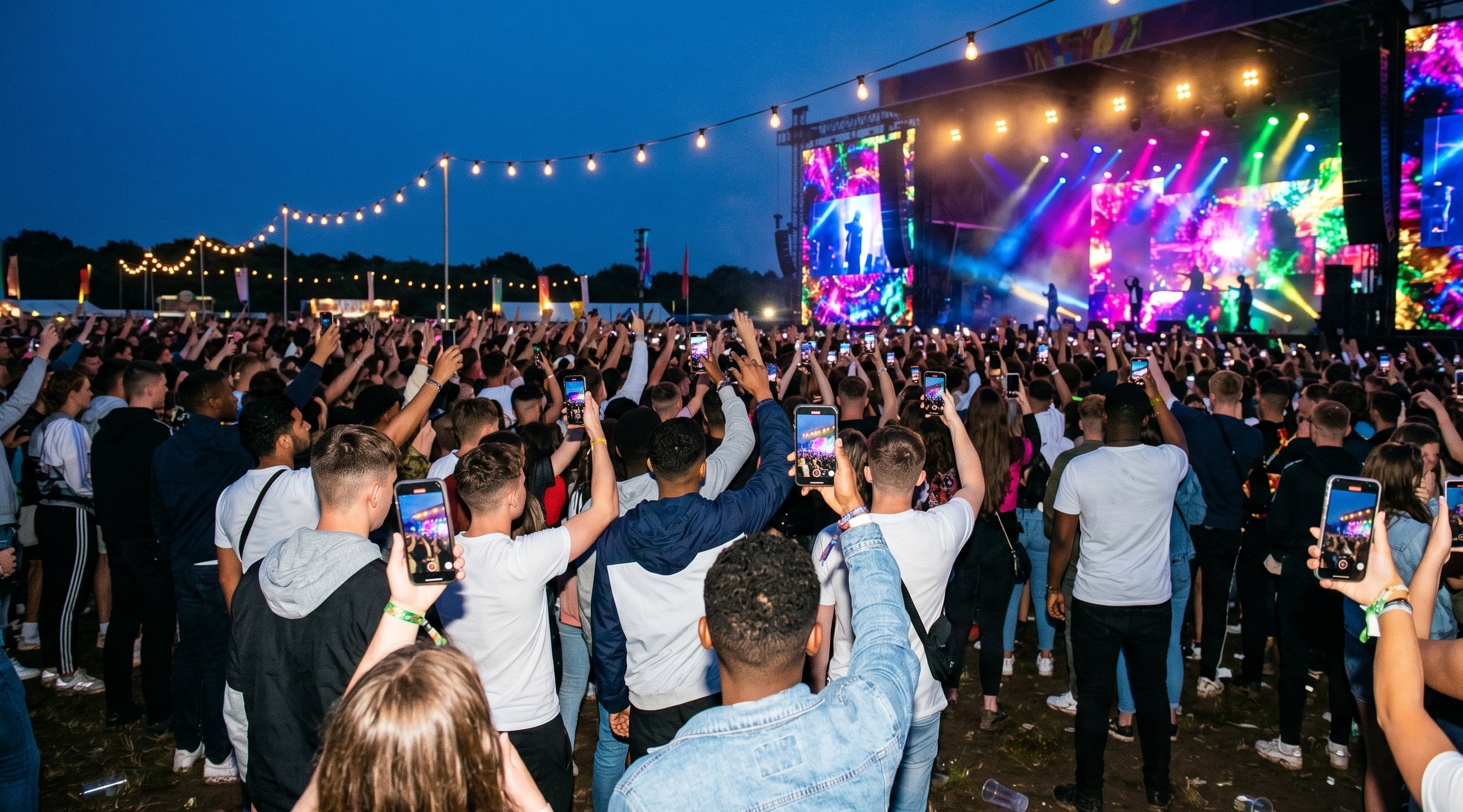

Music festivals are the best possible environment for UGC. And the hardest to execute.
No other event type puts this many people with phones in their hands, this emotionally invested, this willing to document what they're experiencing. The footage potential at a 10,000-person festival is enormous.
The challenge is that festivals are also chaotic, loud, spread across multiple stages, and attended by people who are not there to do administrative tasks. Getting them to upload their footage, rather than just posting it to their stories and moving on, requires a setup that removes every possible point of friction.
This post covers what makes festival crowd footage different, how to collect footage that's actually usable, and what to do with it.
What's different about festival UGC
A corporate conference or sporting event happens in a contained environment, usually one stage, limited zones, predictable schedule. A music festival is the opposite. Multiple stages running simultaneously. Crowd spread across a large site. Programme running from midday to midnight or beyond.
This changes the collection setup in a few ways:
You need geographically distributed prompts. A single QR code at the entrance doesn't work for a site with five stages. Prompts need to go on screens at each stage, in the programme, on wristbands, and in pre-event emails. The upload prompt needs to reach people wherever they are on the site.
Peak moments drive most of the uploads. At a festival, most crowd footage gets filmed during headline performances and standout moments in the programme. If you want footage from across the full event, you need prompts timed to earlier in the day, not just during the closing acts.
Mobile network conditions matter. A site with 20,000 people and limited cellular coverage creates upload problems. The best UGC platforms allow footage to be uploaded after the event, from home on a stable connection, not just on-site in the moment. Keep the upload window open for 48 hours after the final act.
What makes festival footage usable
Not all crowd footage is equal. The clips that end up in the edit tend to share a few characteristics:
At least 5 seconds long. Shorter clips are almost always unusable. This is worth communicating in your upload prompt: ask for clips of 5 seconds or more.
Shot horizontally, or at least not vertically with black bars. Landscape footage is more flexible in the edit and looks better in most finished formats. This is worth mentioning in the prompt alongside the QR code.
With usable audio. Footage where the audio is heavily distorted or completely drowned out by loud sounds close to the microphone is hard to cut with. Clips where the ambient sound is clear, where you can hear the crowd and the performance, are the most valuable.
From inside the crowd rather than from the edges. Footage that shows the crowd from the outside doesn't tell you much about the experience. Footage from inside the crowd, surrounded by thousands of other people, is what creates the feeling of being there.
The case study: Vig Festival
The Vig Festival case study is the clearest example of this playing out in practice. 640 attendees contributing footage at a music festival in Denmark, with the result going into a film that captured what the event actually felt like.
The things that made it work: clear prompts, a simple upload experience, and a curation step that filtered the good clips without requiring the organiser's team to watch everything individually.
How to use festival UGC
The event film. The primary use case for most festivals. A 3–5 minute film edited from crowd footage looks completely different to a produced highlights video, and audiences who attended engage with it differently because they can see themselves and their experience reflected in it.
Artist relations. Artists and their management teams want footage from shows. Crowd footage from inside the audience is something they can't get from their own production. Sharing curated clips from your festival is a relationship-building tool, not just a content deliverable.
Sponsor content. If a brand sponsor had a presence at your festival, footage of the crowd engaging with that activation is the highest-value deliverable you can give them. It shows reach in a way that a logo count never can. For more on structuring this, the sponsor activation guide goes into more detail.
Next year's marketing. The most underused application of festival UGC. Footage that shows what the crowd atmosphere was actually like is your strongest possible piece of acquisition marketing for the following year. Not the professionally filmed version. The real one, from inside the crowd.
The setup checklist
Before your next festival, the things to have in place:
Upload platform set up and tested before the event opens. QR codes on screens at each stage and in the programme. Mention in the pre-event email with context on what you're collecting it for. Upload window kept open for 48 hours after the final act. One person assigned to review and curate the footage the day after the event.
That's the minimum setup that produces usable footage. Everything else, the stage-specific prompts, the artist-specific collection windows, the sponsor zone targeting, builds on top of that foundation. One thing worth confirming before your event: that consent and licensing are handled at the point of upload. For a breakdown of what this covers legally, see the event video consent guide.
Book a demo to see how SureShot is used at festivals and what the collection process looks like from the organiser side.


